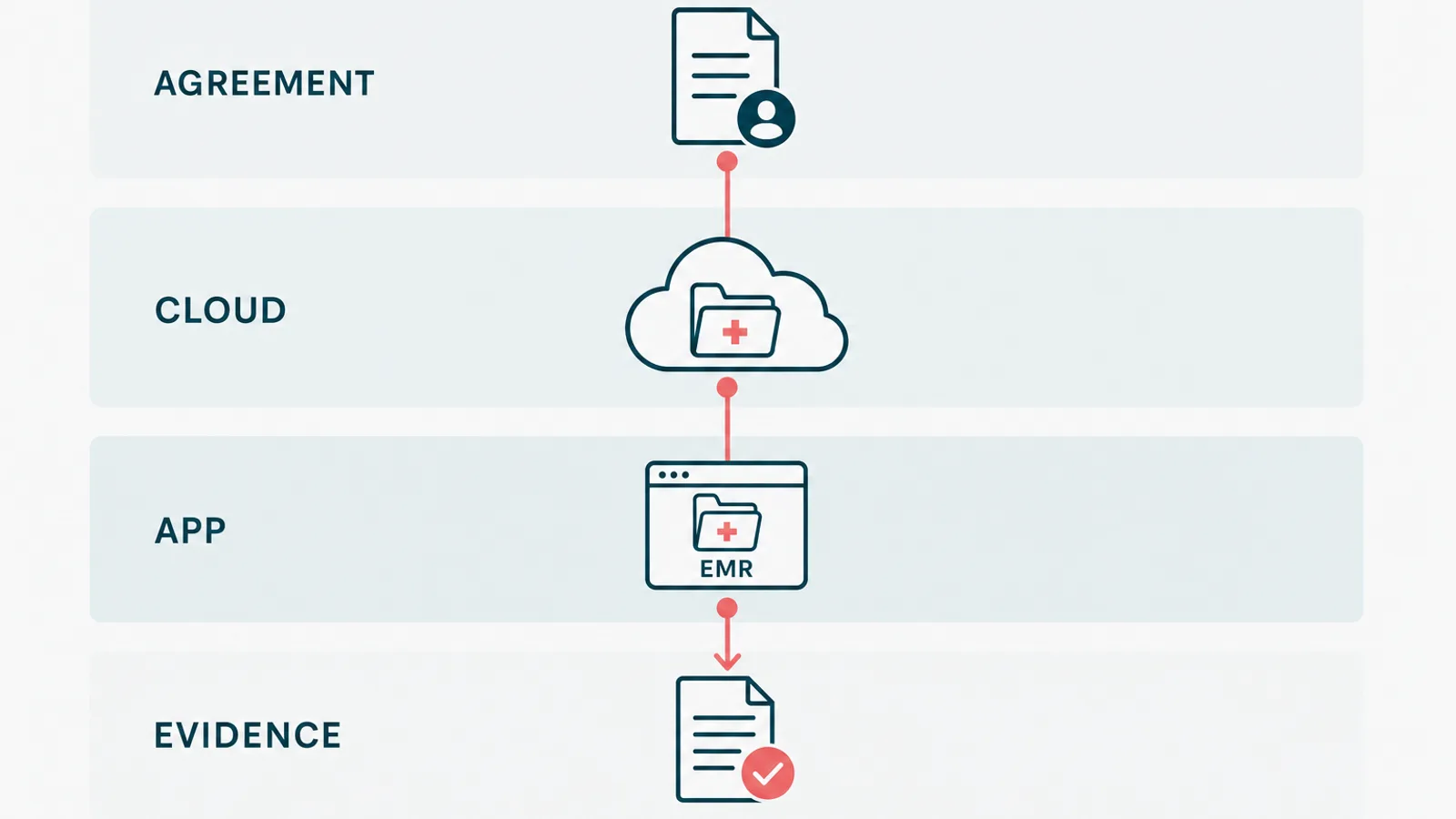
Azure HIPAA compliance is often sold like a force field: sign the BAA, tick a few boxes, and the cloud handles the awkward questions. It does not. A BAA is useful paperwork, but it has never fixed an authorization bug before lunch.
Azure HIPAA compliance means using Microsoft's in-scope services under a BAA. It also means configuring Azure for your risks, building the application safeguards HIPAA requires, and keeping evidence that controls work. Azure supplies eligible infrastructure and security tools. Your organization remains responsible for its application, data, identities, policies, and proof.
We build .NET and Azure healthcare systems, so we are not neutral about the platform. We are very neutral about pretending the platform did work it did not do. This guide separates Microsoft's part from yours, then shows what a software team should be able to prove.
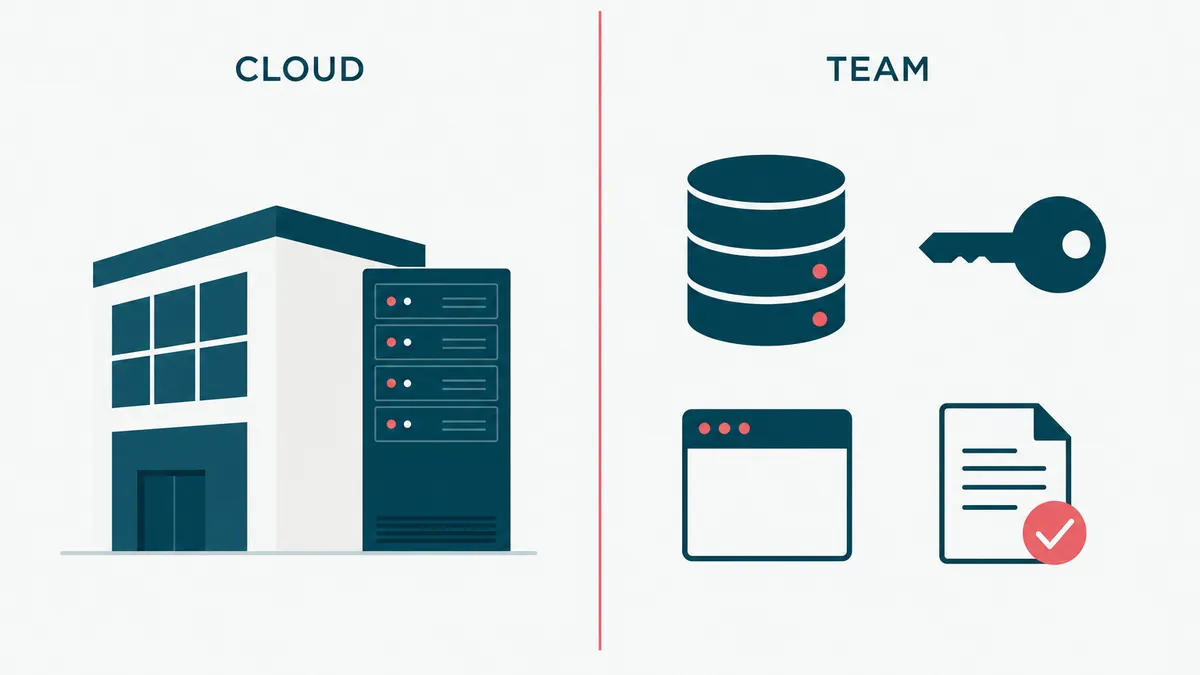
Azure supports HIPAA, but it does not grant compliance
Microsoft lists Azure among its services that can support regulated healthcare workloads and makes a Business Associate Agreement available through its Product Terms. Its own Azure HIPAA offering says the important part plainly: using Azure does not make an organization HIPAA compliant.
That distinction is the whole article.
Microsoft operates the physical data centers, host infrastructure, and core cloud services. Your team decides which services receive electronic protected health information, who can reach them, what the application logs, how long data remains, and what happens during an incident. A perfectly respectable Azure subscription can host a deeply noncompliant application. The cloud does not inspect your business logic for moral character.
The BAA matters. So does service scope. Confirm that every service creating, receiving, maintaining, or transmitting ePHI is covered by the agreement. The HHS cloud guidance also makes clear that a cloud provider can be a business associate even when it stores encrypted data and cannot see the key.
The agreement establishes responsibilities. It does not implement them.
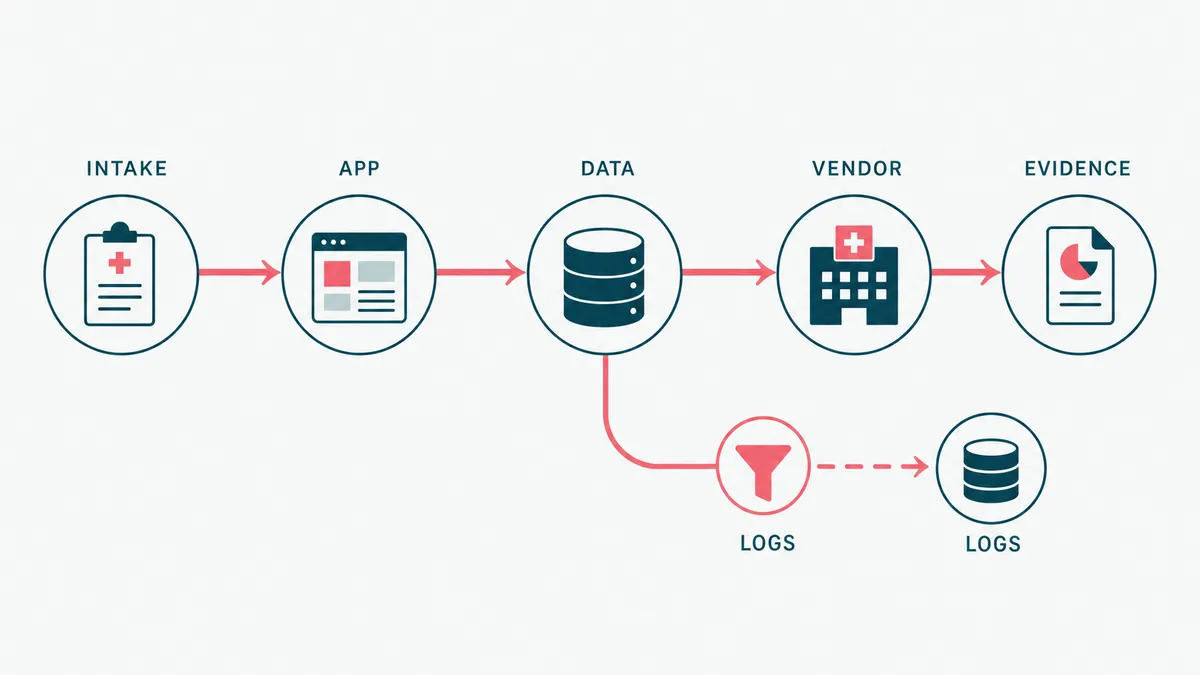
Start with the PHI flow, not the Azure catalog
Teams often begin with a list of Azure products. That starts one step too late. Begin with the data.
Map where PHI enters, which services process it, where it persists, who can retrieve it, and every route by which it leaves. Include the paths that look harmless: support exports, calendar events, application telemetry, email notifications, PDF uploads, analytics, and backups. A patient name in a log is still patient data. Giving the log a technical name does not improve its legal position.
Use one row per meaningful data transition:
| Data step | Question to answer | Control to implement | Evidence to retain |
|---|---|---|---|
| Patient submits intake | Which fields contain PHI, and where do they land? | TLS, validation, access checks, approved storage | Data-flow diagram, endpoint test, storage configuration |
| Provider opens a chart | Can the provider access only assigned records? | Server-side authorization on every request | Role matrix, authorization tests, access-review record |
| Application writes telemetry | Can names, diagnoses, tokens, or documents enter logs? | Structured logging with PHI filtering | Logging standard, sample queries, redaction tests |
| User uploads a document | Can the file carry malicious content or unexpected PHI? | Type and size validation, quarantine, malware scanning | Upload test results, scanner configuration, exception process |
| Backup is created | Can the organization restore the right data inside its recovery target? | Encrypted backups and tested restoration | Backup policy, successful restore record, remediation notes |
| Data leaves for a vendor | Is the disclosure necessary and contractually covered? | Data minimization, approved vendor, BAA where required | Vendor record, agreement, approved integration design |
This map becomes the backbone of the risk analysis, architecture review, test plan, and evidence register. Without it, a checklist can say encryption is enabled while missing the CSV export sitting in someone's downloads folder. Compliance has a sense of humor, but it is not a generous one.
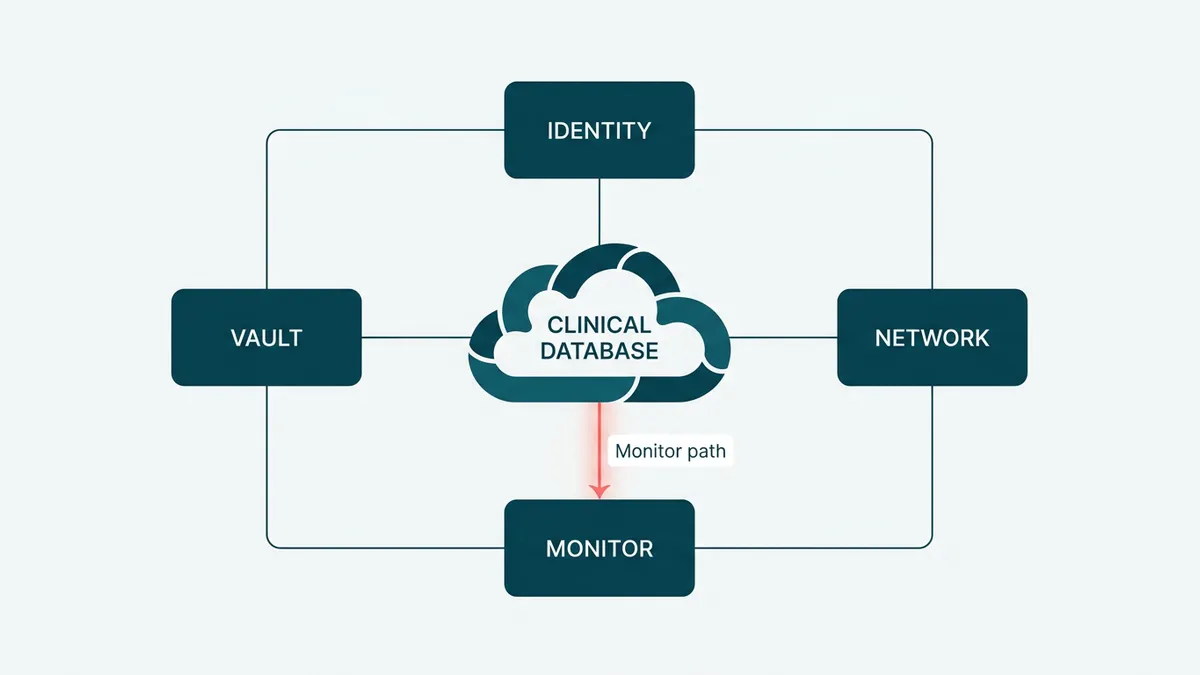
Azure controls establish the infrastructure floor
Once the PHI flow is known, configure Azure around the actual risks. The exact design depends on the workload, but the control families stay familiar.
- Microsoft Entra ID for workforce identity, MFA, Conditional Access, and role assignments that expire or get reviewed
- Managed identities for workloads, so application secrets do not become permanent residents of configuration files
- Azure Key Vault for secrets, certificates, and keys, with access logging and recovery protections
- Encryption at rest for Azure SQL and Storage, plus TLS for data in transit
- Network segmentation, firewall rules, and private endpoints where the risk analysis calls for them
- Azure Monitor, Log Analytics, and Defender for Cloud for security telemetry and investigation
- Azure Policy for approved configurations, drift visibility, and deploy-time guardrails
- Encrypted backups with a documented, successful restore test
Do not turn every possible Azure feature into a universal HIPAA requirement. Customer-managed keys are useful in some risk models. Private endpoints are appropriate for many production data services. Neither becomes mandatory everywhere because a vendor checklist needs another green square. The Security Rule is risk-based, and the design should be too.
Encryption deserves the same precision. HHS describes it as an addressable implementation specification, which means the organization must assess whether it is reasonable and appropriate, implement it when it is, or document an equivalent measure and rationale. For a modern internet-facing healthcare application, encrypting ePHI in transit and at rest is normally the sensible baseline. The nuance is not permission to send records over plain HTTP. It is a requirement to make and document the decision.
The application layer decides whether the system holds up
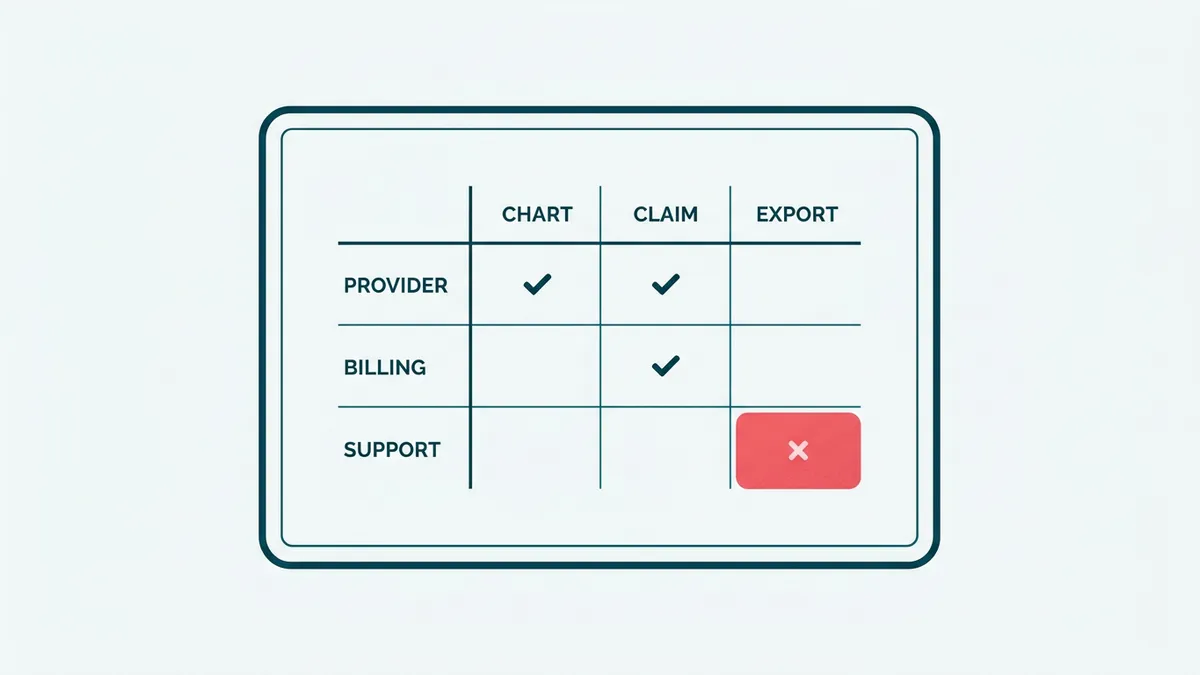
Azure cannot decide whether Dr. Smith should see Patient Jones. That rule lives in your application.
Server-side authorization must run on every operation that reads or changes PHI. Hiding a button in React is interface behavior, not access control. Audit events should record meaningful actions such as viewing a chart, changing a clinical record, exporting data, modifying permissions, and downloading a document. They need an actor, timestamp, target, action, and outcome. They should not copy the clinical record into the log while trying to prove that the record was viewed.
The same boundary applies to integrations. Calendar events can carry an opaque appointment identifier and neutral title instead of a patient name and reason for visit. Email can say a secure message is waiting instead of placing the message in the notification. Analytics can receive a page event without receiving the person behind it. Data minimization is often cheaper than governing another copy forever.
On a healthcare wellness platform we built, development runs on synthetic data, PHI stays in production, and the BAA is signed before work goes near patient information. The platform includes an EMR, patient portal, intake, scheduling, AI-assisted lab analysis, and billing on .NET and Azure. That boundary did more for daily engineering than another annual compliance presentation would have. Developers could reproduce a workflow without reproducing a patient.
This is what HIPAA-compliant software development looks like in practice. The safeguards live in architecture, code, tests, and operating procedures together.
Compliance as code reduces configuration drift
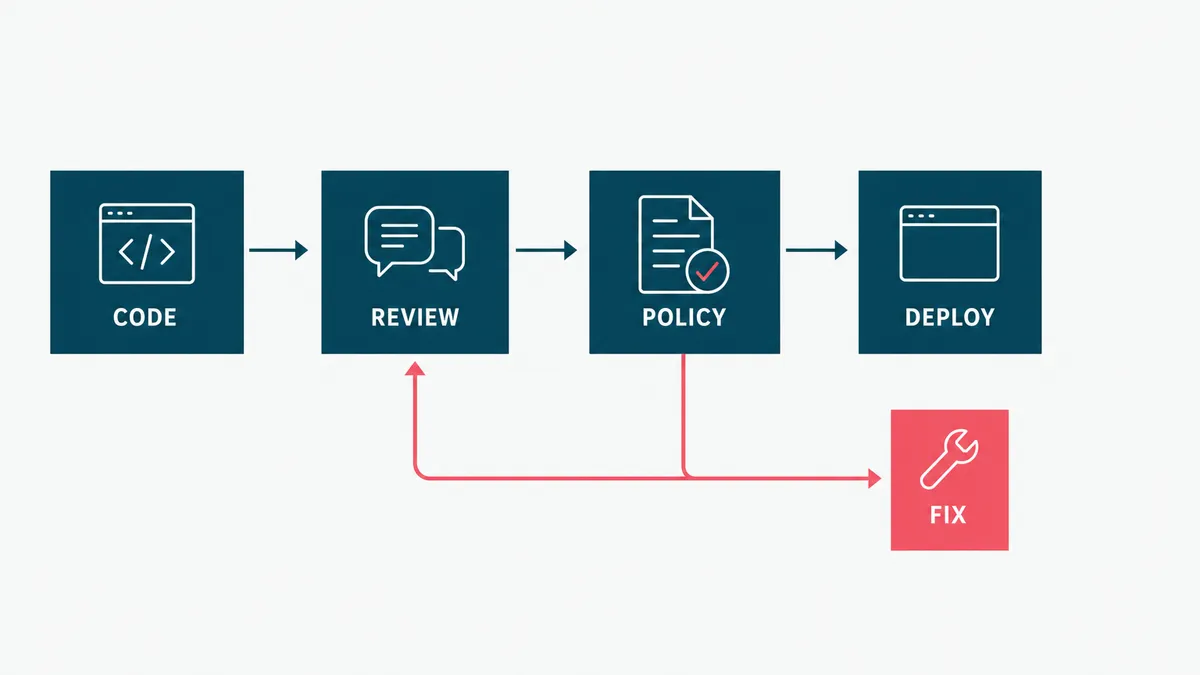
Screenshots prove what a portal showed once. Code proves what the team intended to deploy, and a deployment record proves what actually ran.
Define repeatable Azure infrastructure with Bicep or another reviewed infrastructure-as-code tool. Assign Azure Policy at the correct management-group, subscription, or resource-group scope. Put security checks in the delivery pipeline. Block public exposure, missing diagnostic settings, unapproved regions, and weak transport settings before they become production archaeology.
Microsoft is retiring Azure Blueprints in phases beginning July 31, 2026, with retirement completing January 31, 2027. Its retirement guidance points teams toward Deployment Stacks, Template Specs, and source-controlled infrastructure. A new HIPAA architecture should not make Blueprints its foundation now. That would be compliance planning with a built-in migration project, which is ambitious in the wrong direction.
Compliance as code does not remove human approval. It makes technical decisions repeatable and reviewable. A policy owner still approves the control. A security owner still accepts exceptions. An engineer still explains why the deployed system matches the design.
Evidence is what turns a control into a defensible claim
The useful question is not, "Do we have backups?" It is, "When did we last restore one, what happened, and where is the result?"
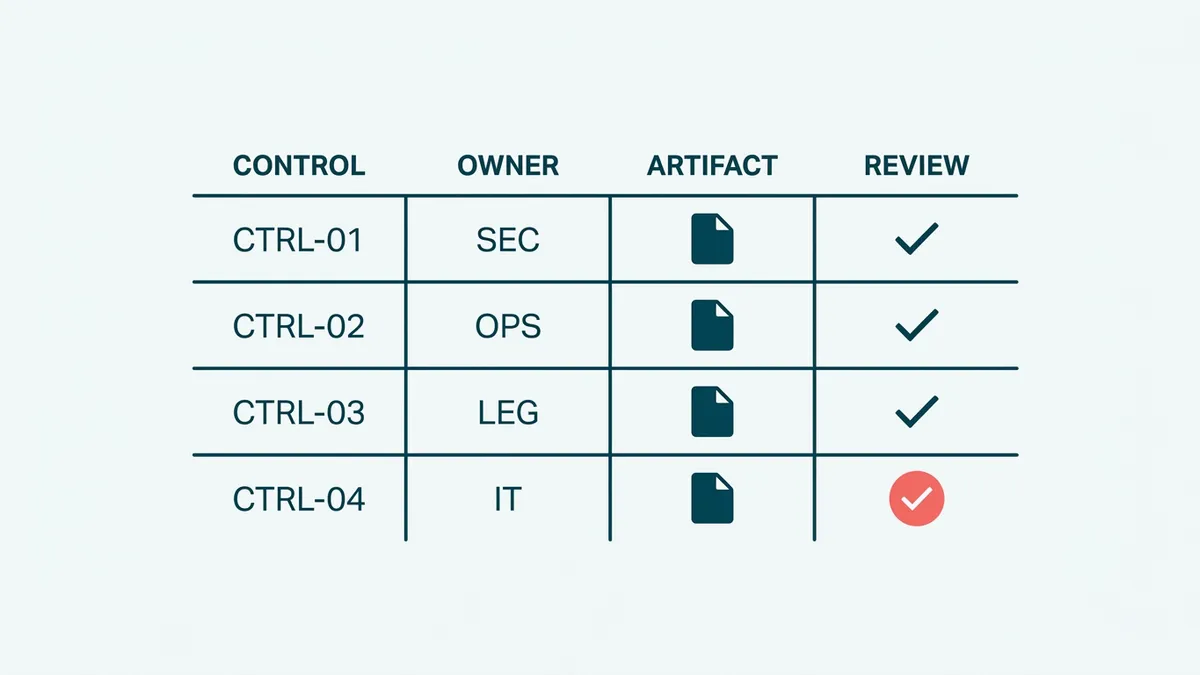
Build an evidence register that connects each requirement to four things: the control, its owner, the current artifact, and the next review date. Evidence can include:
- the applicable Microsoft agreement and list of in-scope services
- the current PHI data-flow and system-boundary diagrams
- risk assessment decisions and accepted exceptions
- role definitions, access reviews, and MFA or Conditional Access reports
- infrastructure definitions, pull-request approvals, and deployment records
- Azure Policy and Defender findings with remediation decisions
- application authorization and audit-event tests
- logging queries that demonstrate security events without exposing PHI
- backup configuration plus the latest successful restoration record
- incident exercises, investigation records, and follow-up actions
Keep the artifacts, not just links to live dashboards. Dashboards change. Permissions expire. The evidence package should still make sense to a reviewer who did not attend the sprint review and does not share your enthusiasm for Azure portal navigation.
NIST SP 800-66 Rev. 2 is a useful bridge between the HIPAA Security Rule and concrete security controls. Use it to structure the control map, not as a substitute for your organization's risk analysis.
Security testing proves what compliance tools cannot
AccountableHQ and Comp AI belong in the evidence process, but they do a different job from a scanner or penetration test. AccountableHQ organizes policies, risk assessments, training, BAAs, and vendor records. Comp AI automates evidence collection, policy management, and control tracking. Both help answer, "Where is the proof?" Neither can answer, "Can this authorization rule be bypassed?"
| Layer | Examples | Useful evidence | What it does not prove |
|---|---|---|---|
| Compliance program | AccountableHQ | Approved policies, risk assessments, training, BAAs, vendor reviews | That Azure and application controls work |
| Evidence automation | Comp AI | Control mappings, collected artifacts, ownership, gap tracking | That an artifact is current or the control is effective |
| Automated security testing | Defender, SAST, dependency scanning, ZAP, Nuclei | Repeatable findings, pipeline runs, remediation records | That no exploitable vulnerability remains |
| Penetration testing | Scoped automated and manual testing | Attack paths, authorization failures, exploitability, retest results | Continuous compliance after the test date |
Automated layers catch different failures. Defender examines cloud posture and security telemetry. Static and dependency scanners find risky code and known packages. OWASP ZAP and Nuclei test a running application for exposed weaknesses. A skilled penetration tester can then chain smaller issues, probe business logic, and test authorization assumptions that an automated crawler cannot understand.
Teams can combine continuous automated scanning with periodic independent penetration testing. Platforms such as Pentest-Tools.com and Astra Security are examples of automated and managed testing options. A security firm can run an independently scoped assessment. An internal or fractional security engineer can own threat modeling, remediation, and secure development practices, but does not replace independent testing when external assurance is required.
HIPAA does not prescribe one scanner or a universal annual penetration test. HHS requires an accurate and thorough assessment of risks and vulnerabilities, followed by reasonable safeguards and ongoing review. The risk analysis should determine the scope and cadence. Customer contracts, cyber insurance, or another framework may set a stricter schedule.
The evidence loop is straightforward: scan or test -> finding -> remediation -> retest -> evidence register -> compliance platform. A scan report with open critical findings is not evidence of a completed control. It is a very organized list of work.
That loop also describes our security and trust process: technical findings move through ownership, remediation, and verification before the evidence is treated as current.
Azure Policy is a signal, not the final answer
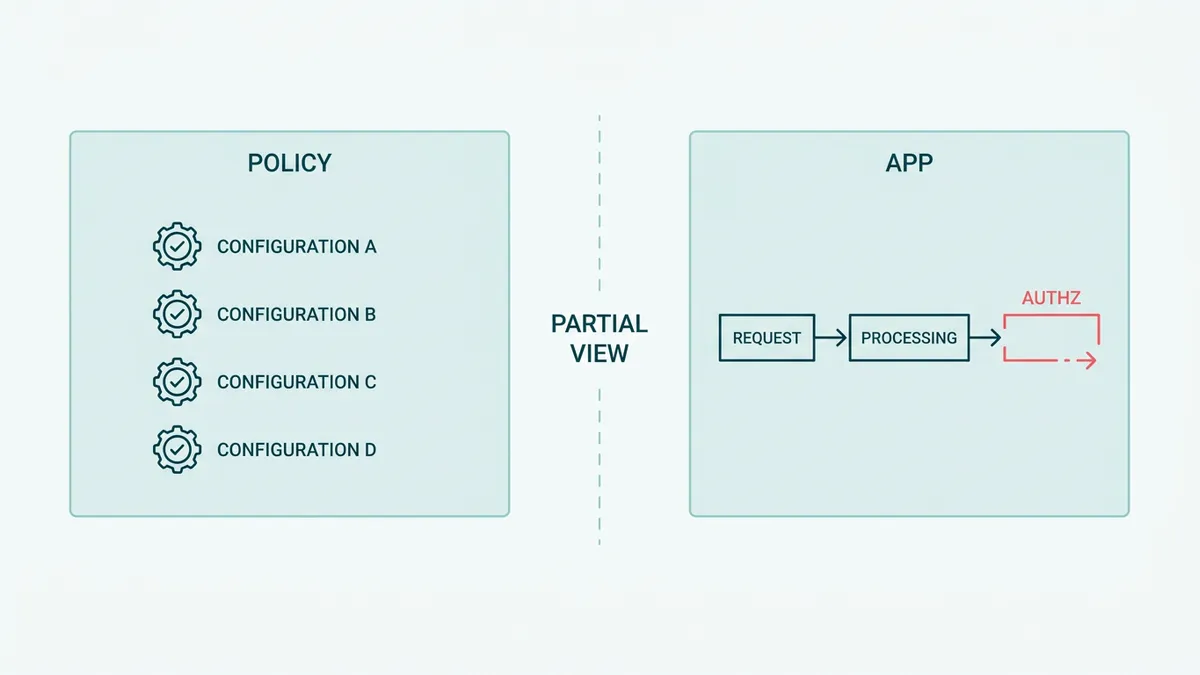
Azure Policy's HIPAA/HITRUST initiative can identify useful configuration gaps. It can report a storage account that allows insecure transport, a resource missing diagnostics, or a network setting outside the baseline. That is valuable. It is also partial.
Azure Policy cannot prove that your authorization rule matches the provider-patient relationship. It cannot confirm that a support engineer followed the access procedure. It cannot decide whether a vendor needs a BAA, whether an incident is reportable, or whether the latest backup restoration met the business recovery target. It cannot read a policy exception and decide the rationale is sound.
Treat the score as an input to review, not as a compliance percentage. A score can improve because one technical resource changed while an application-level risk remains untouched. Green is a color, not a legal opinion.
This is also where custom healthcare software development differs from ordinary cloud setup. The cloud baseline matters, but the clinical workflow and application boundary carry the business risk.
When Azure is enough, and when another build is not
Azure is a good fit when the team already operates the Microsoft stack, needs controlled healthcare workloads, and can own the configuration and evidence over time. It is especially practical for .NET systems using Entra ID, Azure SQL, Storage, Key Vault, Monitor, and policy-based governance under one operational model.
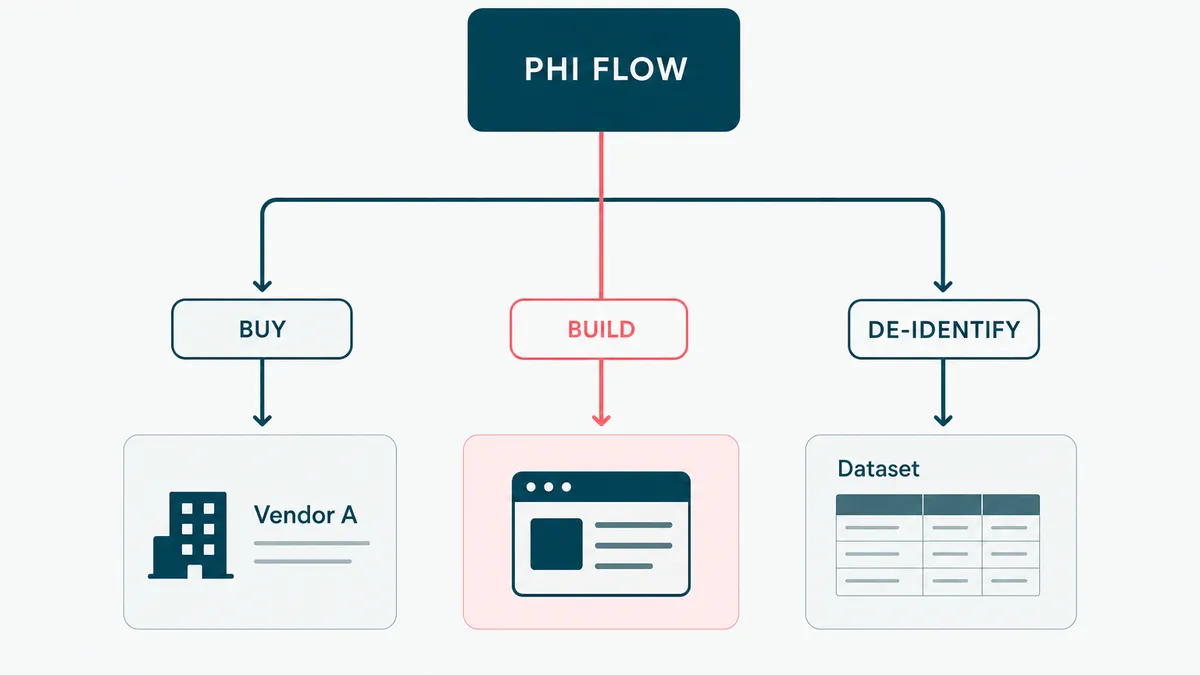
You may not need a custom platform at all. If an established healthcare SaaS product already covers the workflow, signs the required agreement, exports the records you need, and fits the operating model, buy it. Custom software adds another system to secure and another evidence trail to maintain.
You also do not need HIPAA architecture for data that is genuinely de-identified and cannot be re-associated under the applicable standard. Confirm that boundary carefully. Renaming a column from patientName to customerLabel is not de-identification. It is interior decoration.
Finally, do not automate the evidence process before the controls are stable. A compliance platform can collect screenshots, cloud findings, and documents. It cannot repair a vague access model. Automating an unclear control produces unclear evidence faster, the regulated cousin of the problem we describe in when not to automate.
The practical sequence is simple: map PHI, define responsibilities, implement controls, test them, retain evidence, and review changes. Then automate the repetitive collection work. If your Azure healthcare system needs that discipline built into the delivery process, estimate the project. We will inspect the data flow before prescribing another dashboard, and we promise to keep the number of new compliance acronyms within medically acceptable limits.