Every AI SDR tools vendor promises a sales rep who never sleeps. Technically true. Software does not sleep, it just crashes with its eyes open. (Ours calls that resting uptime.) This guide sorts the market with an engineer's bias: what each tool actually does, what it verifiably costs, and when the right answer is an API and a weekend of plumbing.
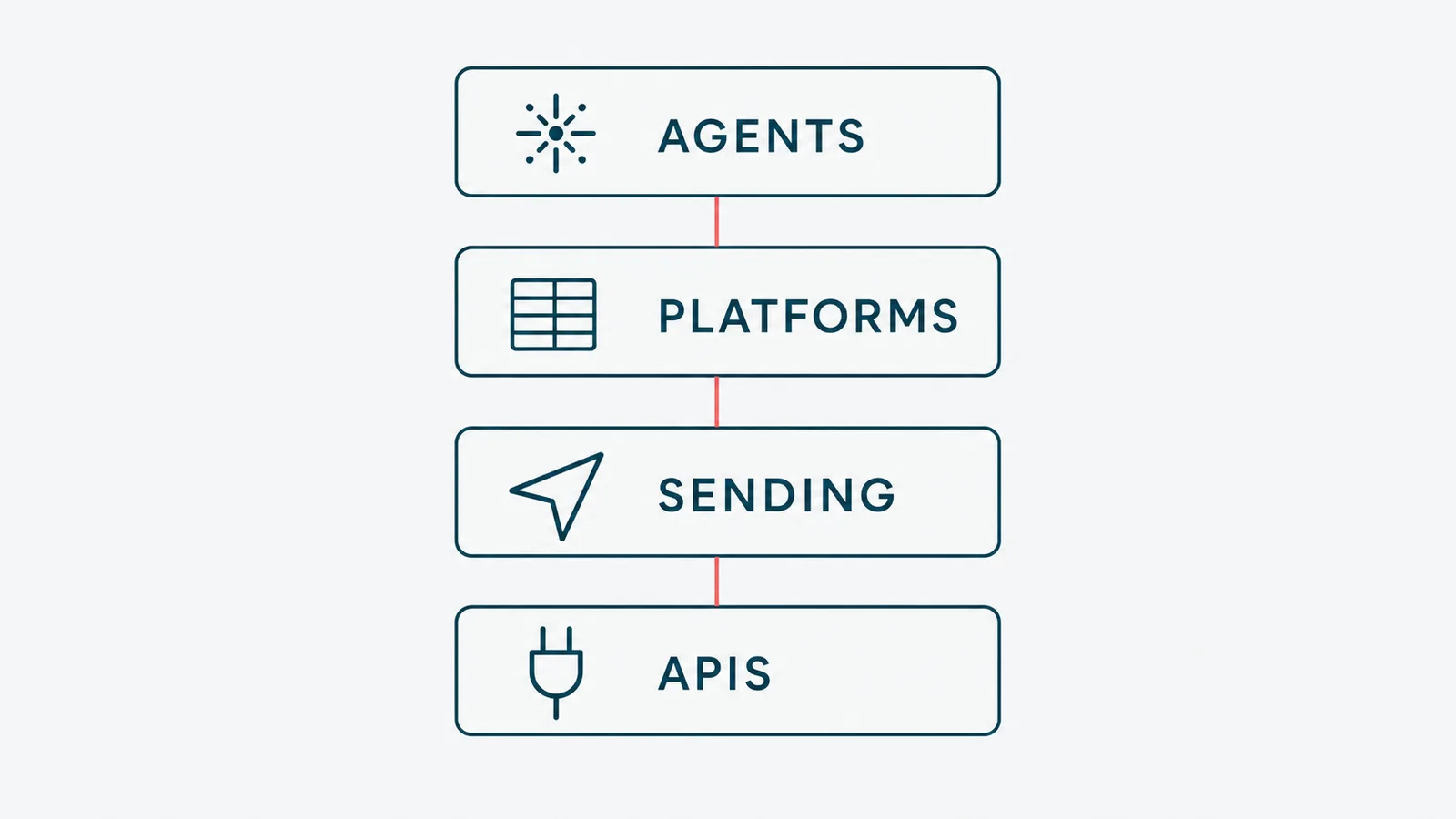
AI SDR tools are software agents that do the outbound half of sales development. They research prospects, write personalized cold emails and LinkedIn messages, follow up, and book meetings. The market splits into full agents (Artisan, 11x, AiSDR), human-in-the-loop platforms (Apollo, Clay), and sending infrastructure (Instantly, Smartlead, HeyReach). The fourth layer is the messaging APIs (Unipile, Zernio) you build on yourself. The right layer depends on how much of the loop you want to own.
A disclosure before the rankings: we build automated lead generation systems for clients and run our own outbound on this exact stack, so we are not neutral, just specific. The guide covers what an AI SDR actually is, a verified price comparison, the tools layer by layer, whether any of it works, and when to skip the category entirely.
What an AI SDR actually is
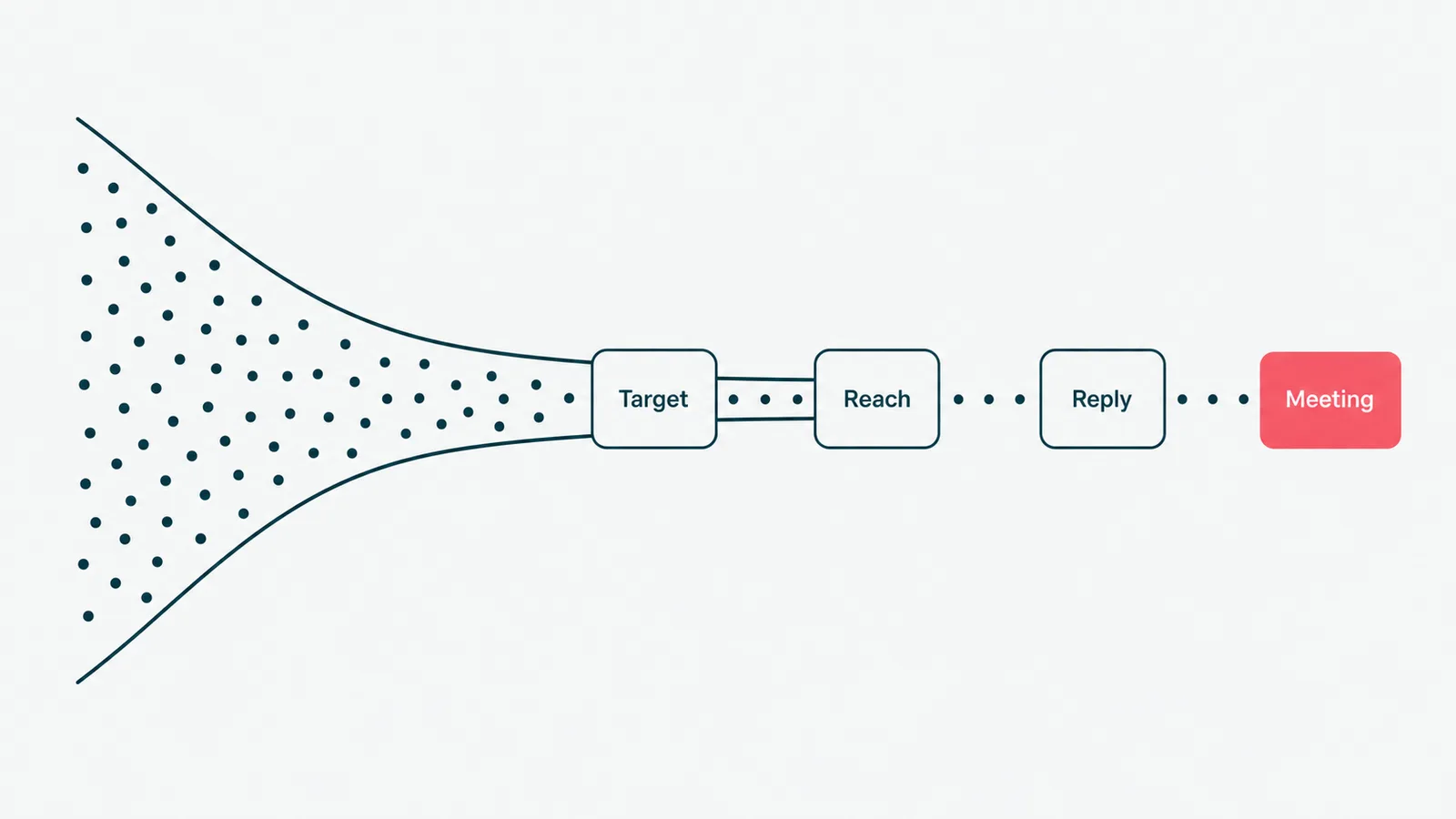
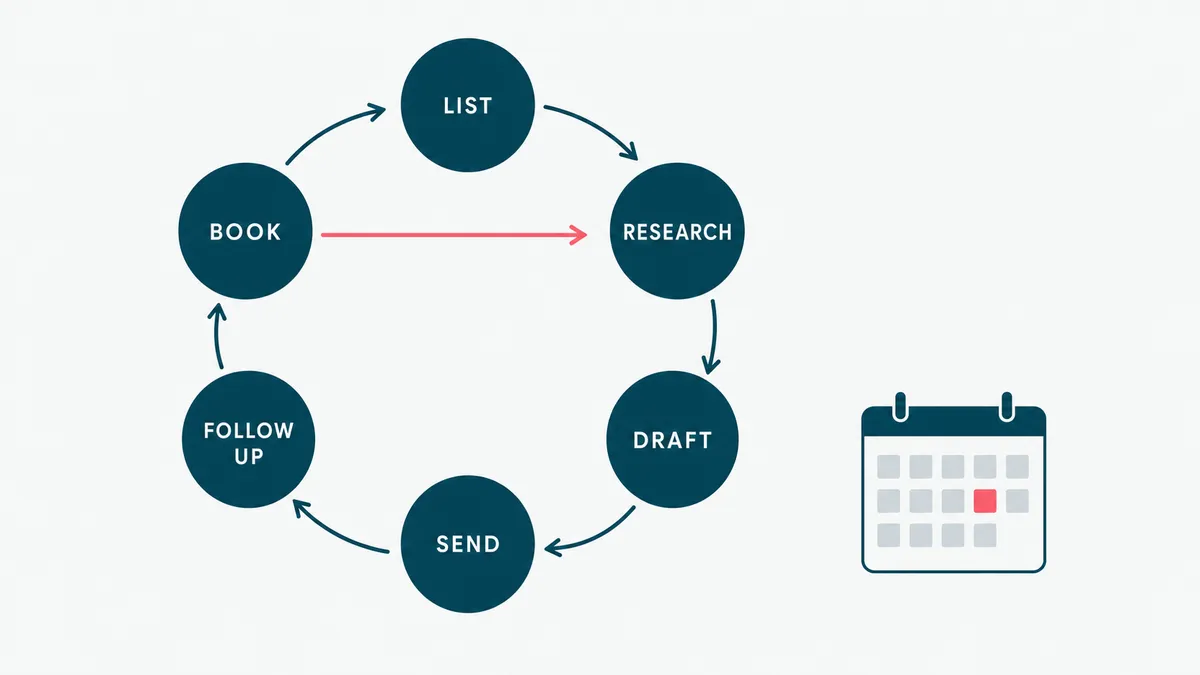
An AI SDR is software doing the job description of a sales development representative: find people who look like your buyers, start conversations, and hand the warm ones to someone who closes. The acronym stands for sales development representative, a role the industry invented so account executives would have someone to blame for pipeline.
The honest version of the pitch is narrower than the marketing. Today's AI SDR agents research an account, draft a message that references something real about it, send on a schedule, follow up when nobody answers, and book a meeting when somebody does. Some qualify inbound leads on your website instead of hunting cold ones. What none of them do is run a discovery call, judge fit under ambiguity, or take responsibility when the pipeline is empty. The human parts of the job stayed human.
It helps to be precise about the category, because two neighboring aisles get mixed into it constantly. Selling to people who already opted in is marketing automation, a different discipline with different tools, which we compared in our marketing automation tools guide. And the broader plumbing of quotes, CRMs, and handoffs is sales automation, of which outbound is only the loudest slice. An AI SDR is specifically the cold-start machine: it manufactures conversations from a list and a value proposition.
One more distinction that will organize this whole guide: the tools differ less by feature list than by how much autonomy you hand over. That is the axis that decides your price, your risk, and how embarrassing your worst sent email will be.
The AI SDR tools compared
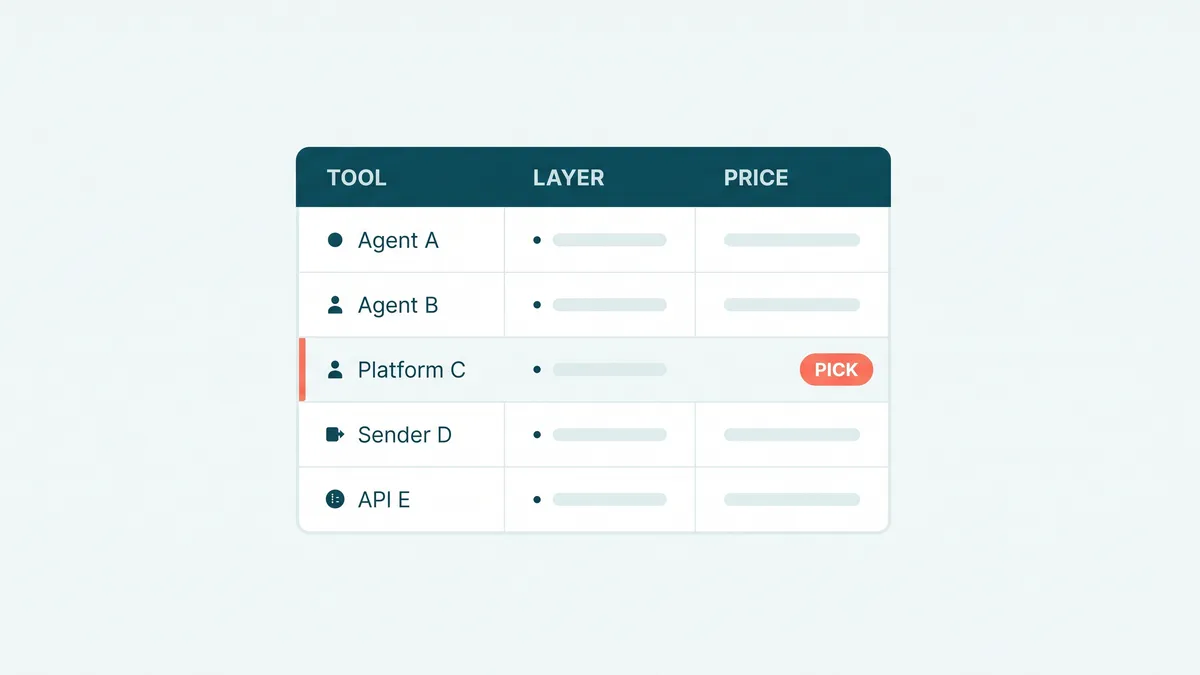
Here is the 2026 landscape at a glance. Every price below comes from the vendor's own pricing page as of July 2026. Prices move, so treat them as the shape of the bill, not a quote. Where a vendor publishes nothing, we say so instead of guessing.
| Tool | Layer | Best for | Starts around | Free option |
|---|---|---|---|---|
| Artisan (Ava) | Full AI SDR | One agent running the whole loop | $250/mo, billed annually | Free tier, 300 credits/mo |
| 11x (Alice) | Full AI SDR | Enterprise outbound teams | Quote only | Demo |
| AiSDR | Full AI SDR | Fast setup, HubSpot shops | $250/mo, month to month | No |
| Qualified (Piper) | Inbound AI SDR | Pipeline from website traffic | Quote only | Demo |
| Salesforge (Agent Frank) | Full AI SDR | Agencies wanting a budget agent | $499/mo, billed quarterly | No |
| Apollo | Data + sequences | Prospecting on a budget | Free plan, paid per user | Yes |
| Clay (Claygent) | Enrichment + AI research | Custom data workflows | $167/mo | Yes, 100 credits/mo |
| Instantly | Cold email sending | Volume email with warm-up | $47/mo | No |
| Smartlead | Cold email sending | Agencies, unlimited mailboxes | $39/mo | Trial |
| HeyReach | LinkedIn outreach | Multi-account LinkedIn at scale | $79/mo per sender | 14-day trial |
| Unipile | Messaging API | Building your own, multichannel | €49/mo for 10 accounts | 7-day trial |
| Zernio | Social + messaging API | AI-agent-native builds, MCP | $6/account after 2 free | Yes, 2 accounts |
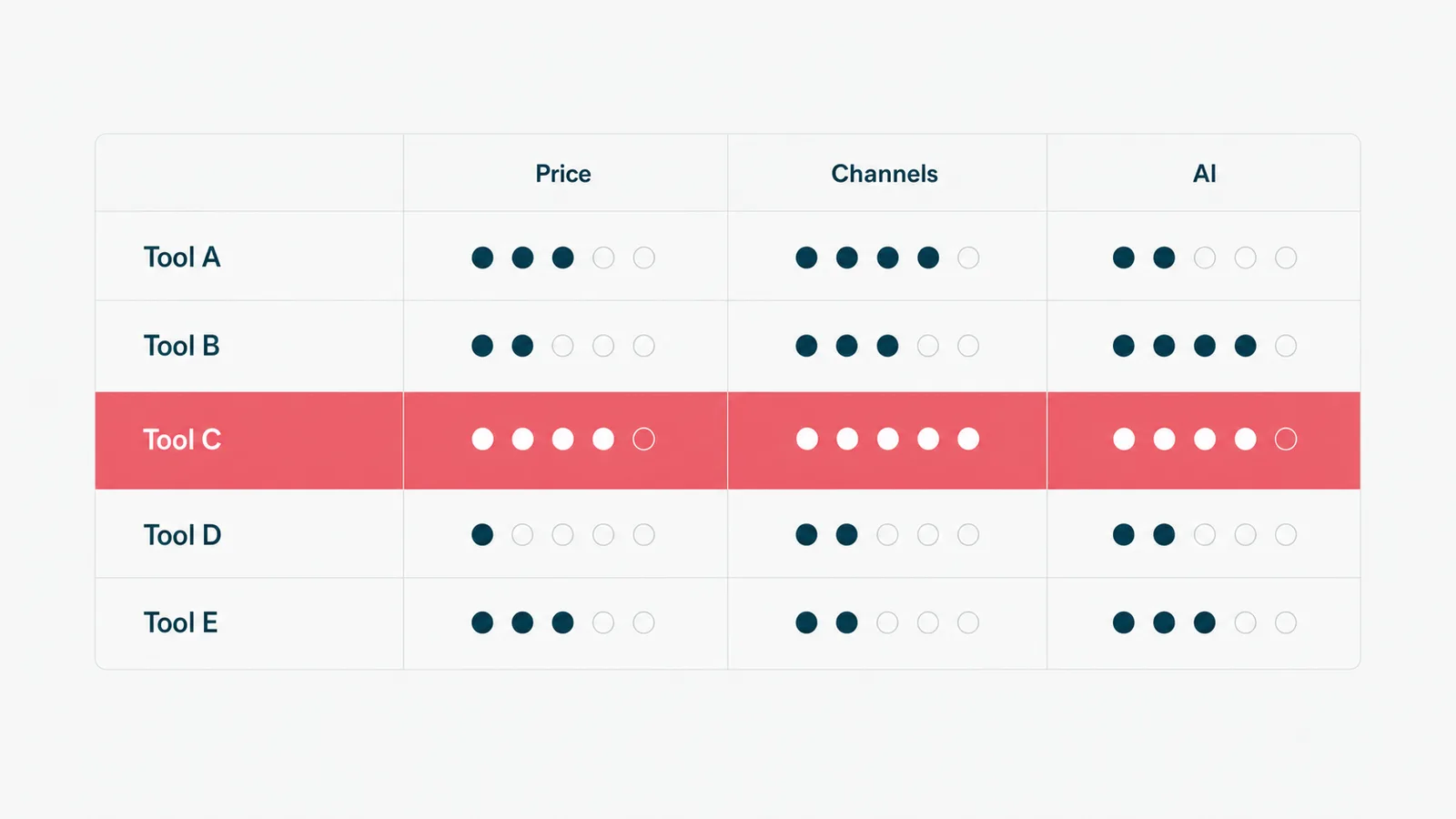
Read the billing column like it owes you money. Artisan's headline price assumes annual billing. AiSDR is month to month only on the 250 dollar Solo plan, and quarterly with advance payment above it. Agent Frank bills quarterly. HeyReach is per LinkedIn sender, so ten senders is 790 dollars, not 79. The gap between 39 dollars and quote-only is not primarily features. It is who does the worrying.
The full AI SDRs: one agent, the whole loop
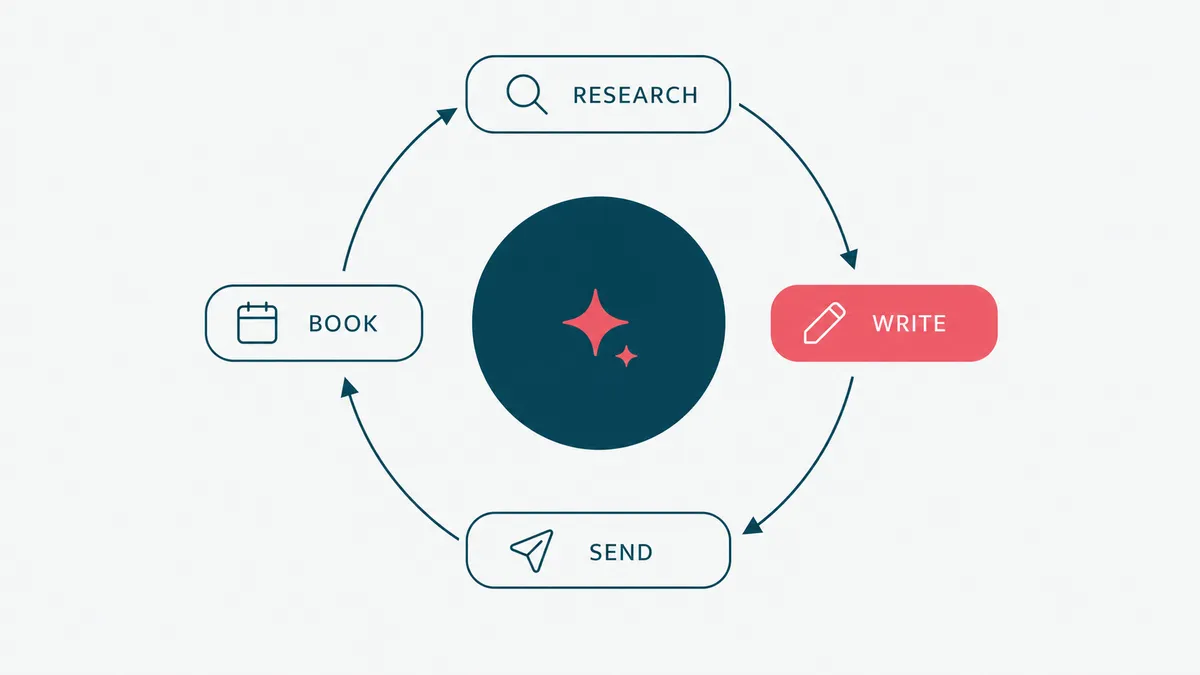
These are the tools the category is named after. You give them an ideal customer profile, they do research, drafting, sending, and booking. Artisan named its agent Ava, 11x went with Alice, Qualified chose Piper. Somewhere a naming consultant is billing by the vowel.
Artisan is the most approachable of the set. Ava finds leads, researches them, writes and sends emails, and there is a real free tier (300 credits a month) plus a 30-day trial pot of 10,000 credits, so you can see the output quality before spending anything. Paid plans start at 250 dollars a month on annual billing, which is the part to read twice: the monthly sticker assumes a year of commitment. The credit system takes arithmetic too, since enrichment, phone numbers, and sends all draw from the same pool. Model a real month of your volume before trusting the sticker, then add a margin for the month you actually have.
AiSDR sells speed to first campaign. The 250 dollar Solo plan is month to month and includes 200 AI-researched contacts, one domain, three mailboxes, and a LinkedIn account, which is an honest starter kit. The 900 dollar Explore and 2,500 dollar Scale tiers move to quarterly contracts with advance payment. It leans HubSpot: if your CRM is elsewhere, check the sync depth before you commit a quarter.
11x positions Alice as a digital worker for enterprise outbound and publishes no pricing at all, only a demo. Quote-only pricing is a price too. You pay it in meetings. Budget five figures a year and a procurement cycle, and pilot it against a cheaper layer before you sign, because the delta has to come from somewhere measurable.
Qualified's Piper is a different animal: an inbound AI SDR. It watches your website traffic, engages visitors, and books meetings from intent you already earned. If your problem is converting existing traffic rather than starting cold conversations, this is the category to look at, not the cold-email agents above. Also quote-only, also demo-gated, and worth it mainly when the traffic is already there. Piper cannot manufacture visitors, it can only stop wasting the ones you paid for.
Agent Frank, from Salesforge, is the budget full agent: 499 dollars a month billed quarterly, covering up to 1,000 active contacts, with mailbox infrastructure billed separately at a few dollars per inbox. Agencies like it because the marginal cost of adding a client is low. The trade is that you are buying one vendor's opinionated loop, and customization has walls.
The honest summary of this layer: the demos are excellent, the contracts are the product, and the output quality tracks the effort you put into configuration. Which is a theme we will meet again.
The economics: what an AI SDR actually replaces
The pitch-deck math says an AI SDR costs a tenth of a human hire. The pitch deck is comparing its best case to your worst one. Here is the version that survives contact with a budget.
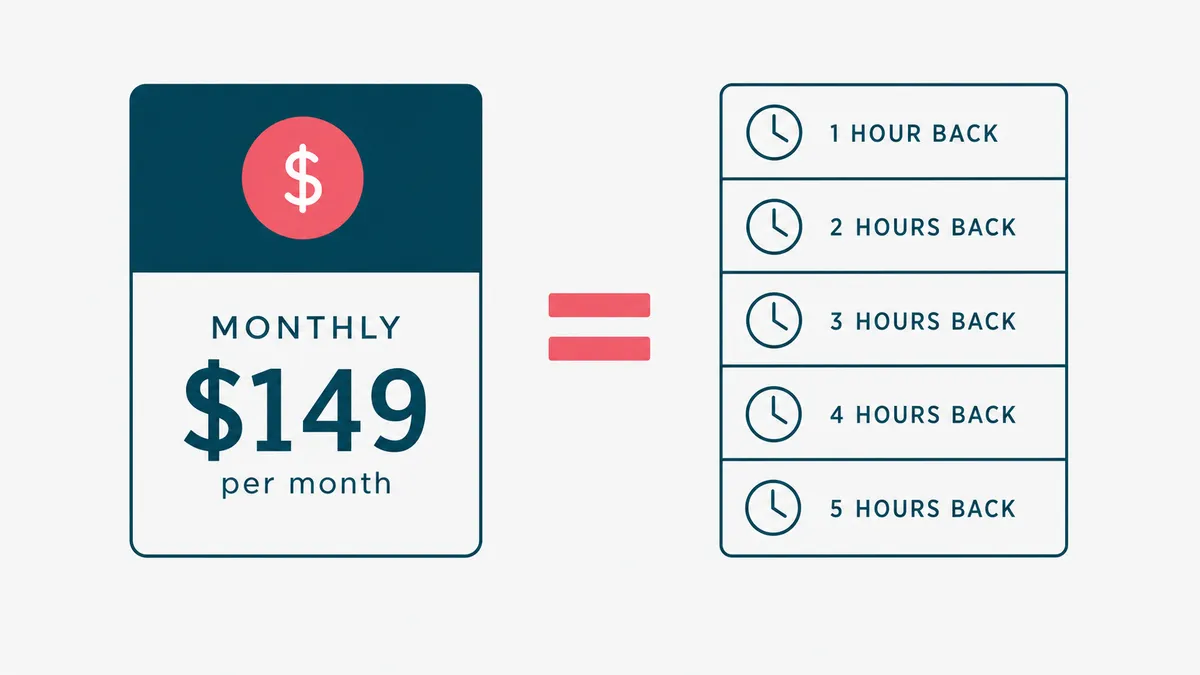
Price the layers first, using the published numbers above. A sending stack (Smartlead or Instantly plus a handful of warmed domains and mailboxes) runs under 100 dollars a month. A human-in-the-loop platform adds a free-to-450-dollar seat on top. The full agents run 250 to 2,500 dollars a month published, and quote-only above that. The spread between the cheapest working layer and the priciest published one is roughly 30 to 1, and what you buy across that spread is not more email. It is fewer human hours per conversation started.
That reframes the human comparison honestly. The tool does not replace the person, it replaces the hours the person spends on research, first drafts, and follow-up discipline. If a rep spends half their day on that middle work, a 250 dollar agent that hands those hours back pays for itself in the first week of any Western payroll. If you have no rep at all, the agent replaces nobody. It replaces the founder's evenings, which are cheaper on paper and more expensive everywhere else.
Then add the costs the brochure skips. Domains and mailboxes for volume sending, tens of dollars a month and mandatory. Data credits that meter every enrichment and phone lookup. Two to four weeks of tuning before results mean anything. And the operator hours that never go away: on every tool we have run, review and list hygiene still take two to five hours a week. Fold in the switching cost of quarterly and annual contracts, and the cheapest pilot is the one you design before the demo, not after it.
The break-even question fits in one line. What does a qualified meeting cost you today, and how many must the tool book monthly to beat that number. A 900 dollar plan that books four real meetings is a bargain in most B2B. The same plan booking four meetings with students and job seekers is 900 dollars of very organized noise.
The platforms where a human keeps the wheel
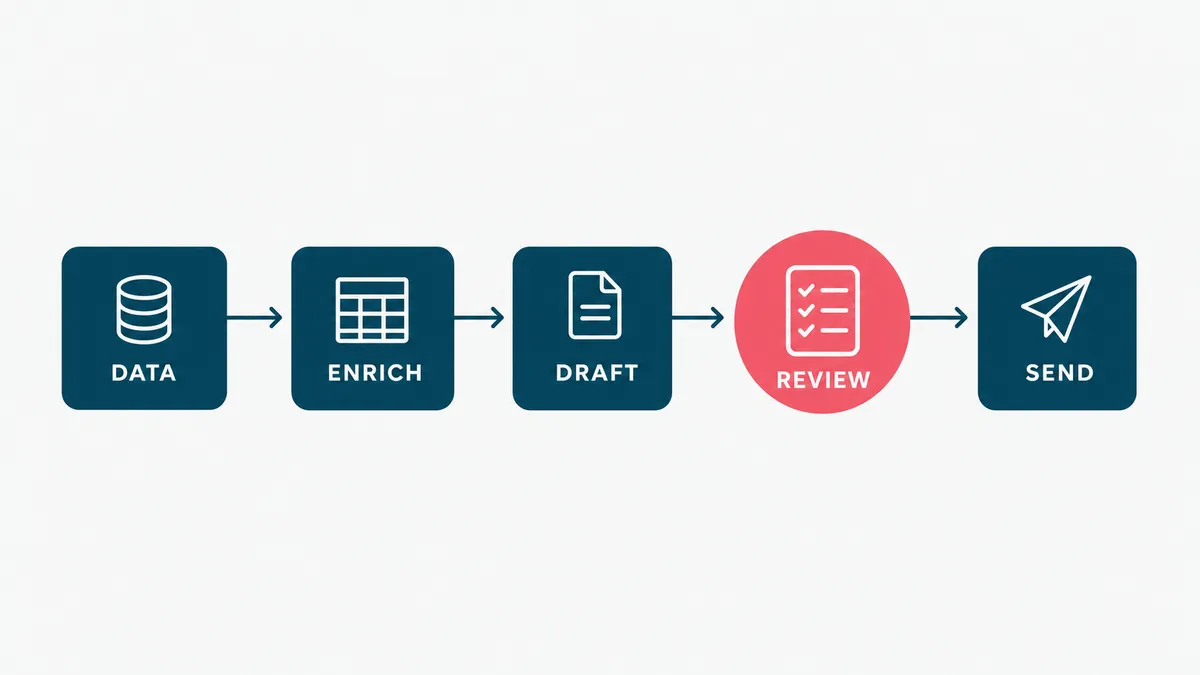
One layer down from full autonomy sits the AI SDR software that drafts and researches while a person approves and sends. For most teams under about twenty employees, this is the sane default: you get the speed without handing your domain reputation to a robot on day one.
Apollo is the workhorse. A vast B2B contact database, email sequencing, calling, and an AI assistant for drafting, with a genuinely free plan to start and per-user pricing after that. The data quality varies by segment (every database's does), but as the first tool a founder-led sales motion buys, it is hard to argue with. For a lot of teams it is also the last tool they need: list, sequence, and CRM sync in one login, upgraded one seat at a time as the motion grows. Verify emails before sending regardless of what any vendor promises about their own hygiene. A 4 percent bounce rate does more damage to your domain than a 0 percent reply rate does to your ego, and only one of them heals by itself.
Clay is the tinkerer's tool, and we say that with affection. It is what happens when a spreadsheet gets a research budget: waterfall enrichment across dozens of data providers, plus Claygent, an AI agent that browses the web and answers custom questions about each prospect ("do they hire nurses", "did they raise this year"). Free tier to play with, then 167 dollars a month on Launch and 446 on Growth. Clay rewards teams with an operator who enjoys building. Without one, the credits burn while the table sits half-configured.
The older sales-engagement suites (Outreach, Salesloft, Reply.io) live in this layer too, all racing to bolt agents onto their sequencers. If your team already runs one of them, evaluate its agent before adding a new vendor. Fewer tools, fewer failure points. An outbound stack can accumulate more failure points than a George Costanza alibi, and each one has a login.
What this layer buys you over the full agents is reviewability. Every message can pass a human eye before it represents your company. What it costs you is exactly the same thing: someone has to be the eye. That trade, not the feature grid, is the actual decision. For how the messaging itself should be built, our guide to outbound lead generation strategies covers the part no tool sells.
The sending layer, where deliverability lives or dies
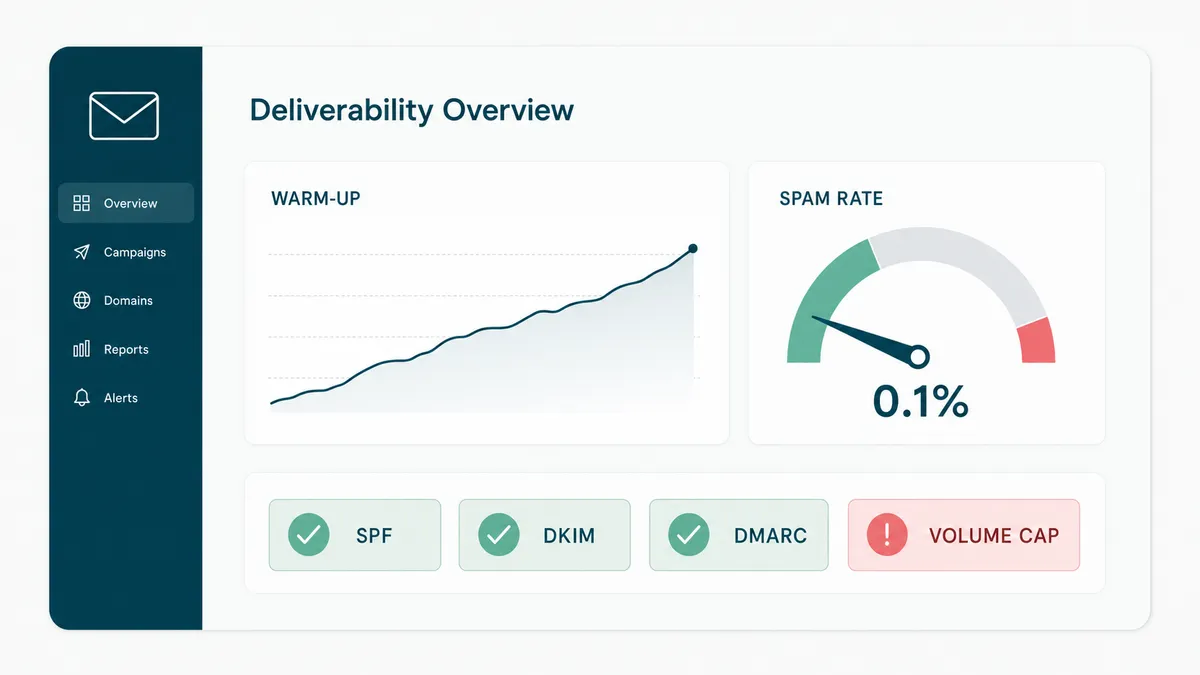
Underneath every AI SDR, something has to actually deliver mail without landing in spam. This is the least glamorous layer and the one that decides whether anything above it matters. It is the "we're gonna need a bigger boat" moment of outbound: everyone budgets for the AI and forgets the hull.
The rules changed in February 2024 and most roundups still have not caught up. Google's sender guidelines classify anyone sending 5,000 or more messages a day to Gmail as a bulk sender, requiring SPF, DKIM, and DMARC authentication, and demanding spam-complaint rates in Postmaster Tools stay under 0.3 percent, with Google recommending you stay under 0.10 percent. Cross the line and your mail quietly stops arriving. On the legal side, the FTC's CAN-SPAM guide requires a working opt-out, a physical postal address, and honest subject lines in every commercial email. None of this is optional, and a good sending tool exists to keep you on the right side of it.
Instantly is the one we run ourselves. Sending plans start at 47 dollars a month, warm-up and unlimited mailbox connections are included, and the deliverability tooling (inbox rotation, volume ramps, spam testing) is the actual product. The company now sells AI agent tiers and a lead database as well, but the sender is the part that earns the fee. A tool that slows your sending down at the right moment is worth more than one that speeds it up, which is a strange thing to pay for and the correct one.
Smartlead starts at 39 dollars a month with unlimited mailbox connections and white-label options, which is why agencies gravitate to it. It also sells dedicated servers and managed mailboxes as add-ons, so the infrastructure can grow inside one vendor. Both tools solve the same problem well. Picking between them is closer to picking a gym than a spouse: proximity and habit matter more than the brochure.
HeyReach does for LinkedIn what those two do for email: one dashboard rotating outreach across multiple sender accounts, at 79 dollars a month per sender with a 14-day trial. One thing belongs in the open, because most listicles bury it. LinkedIn's policy on automation tools is shorter than this paragraph: no. Third-party automation violates its terms, and accounts that get caught risk restriction or shutdown. Every LinkedIn automation vendor, HeyReach included, operates in that gray zone, and the mitigations (human-like pacing, per-account caps) reduce the risk without removing it. Send from accounts you can afford to lose, or keep LinkedIn manual and automate only the research behind it.
Warm-up deserves a final word, since every tool here offers it. It is the stretching-before-a-run of cold email. Skipping it works right up until it does not, and then the domain you burned takes weeks to earn back. Buy new domains for volume sending, warm them for two to three weeks, and keep your company's primary domain out of cold outreach entirely. That one habit outperforms most AI features on this page.
Build your own AI SDR on the API layer
Here is the section the other roundups skip, which is odd, because it is where the interesting engineering happens. If your workflow is unusual, your channels are mixed, or your data cannot leave your infrastructure, you can assemble an AI SDR instead of renting one. Two APIs make this practical in 2026.
Unipile is a unified messaging API: LinkedIn, WhatsApp, Instagram, and Telegram messaging plus Gmail, Outlook, and IMAP email behind one set of endpoints, with hosted authentication and real-time webhooks. Pricing starts at 49 euros a month covering up to ten connected accounts, then about 5 euros per account beyond that, with a 7-day trial. It is the pragmatic choice when the conversation you want to automate lives in an inbox.
Zernio comes at it from the social side: one REST API across 15+ platforms (LinkedIn, X, Instagram, TikTok, Reddit, WhatsApp, Telegram, and friends) plus six ad networks, covering posting, unified inbox, and analytics. Two connected accounts are free, then 6 dollars per account down to 1 dollar at volume, with no contracts. The detail that matters for this guide: Zernio ships a hosted MCP server, so an AI agent can drive the whole thing as native tool calls. If you are building an agent that posts, replies, and measures across platforms, that is a lot of undifferentiated plumbing you do not have to write.
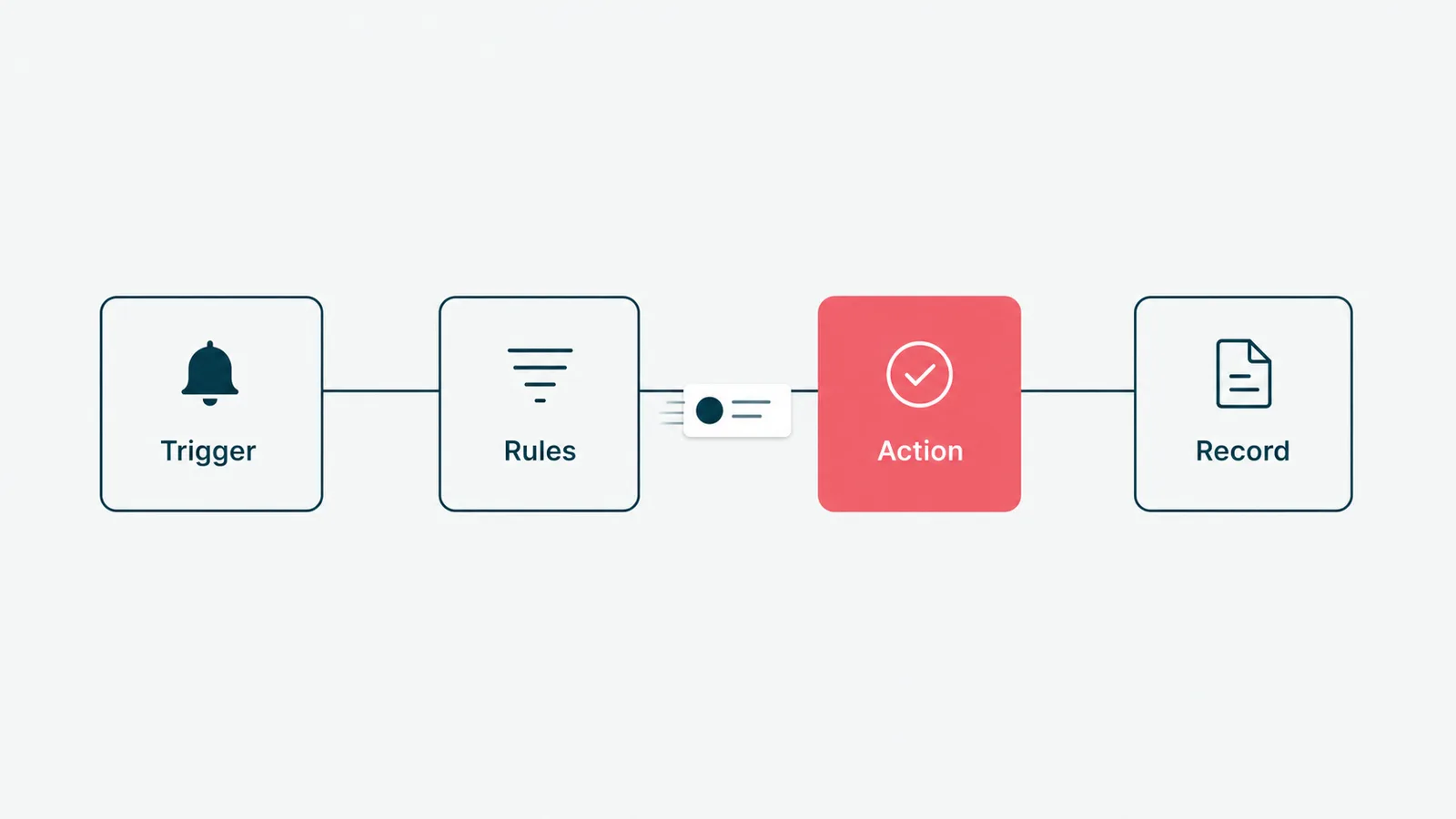
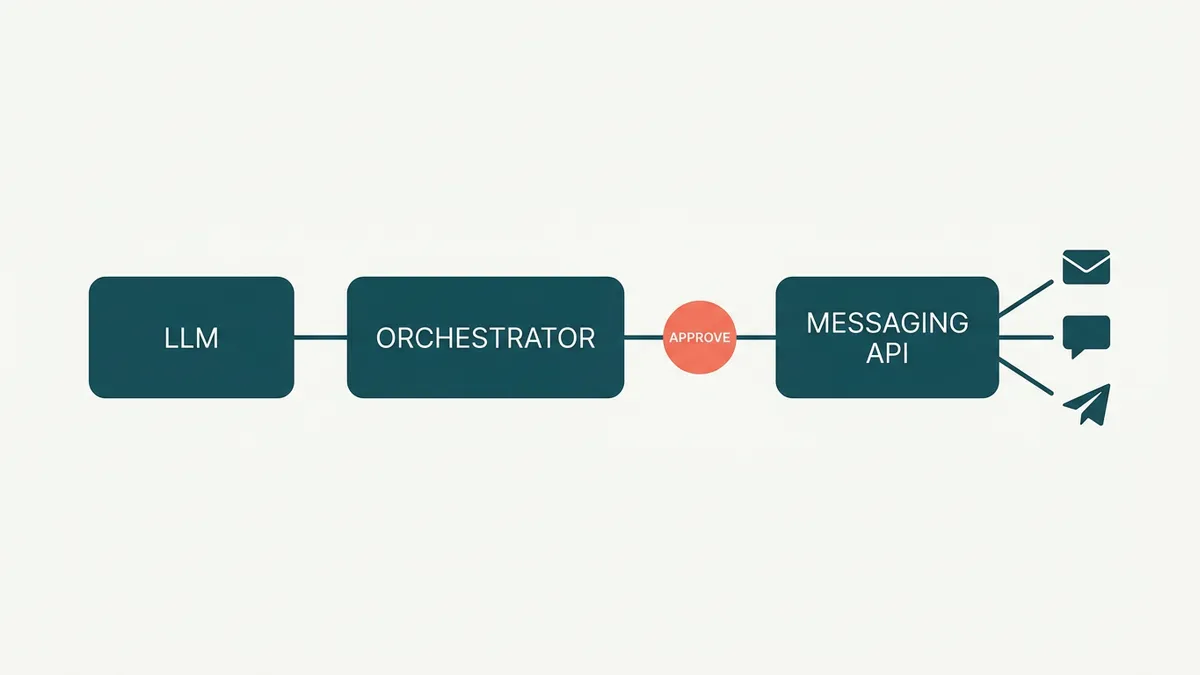
On top of either, an orchestrator runs the loop. We use n8n, which is open source and self-hostable, though the same shape works in Temporal or a plain queue if your team prefers code to canvases. The LLM writes drafts, the API sends, the webhook catches replies. How to automate SDR workflows with AI, in one sentence: research feeds drafting, drafting feeds a review gate, the gate feeds the send API, and replies route to a human.
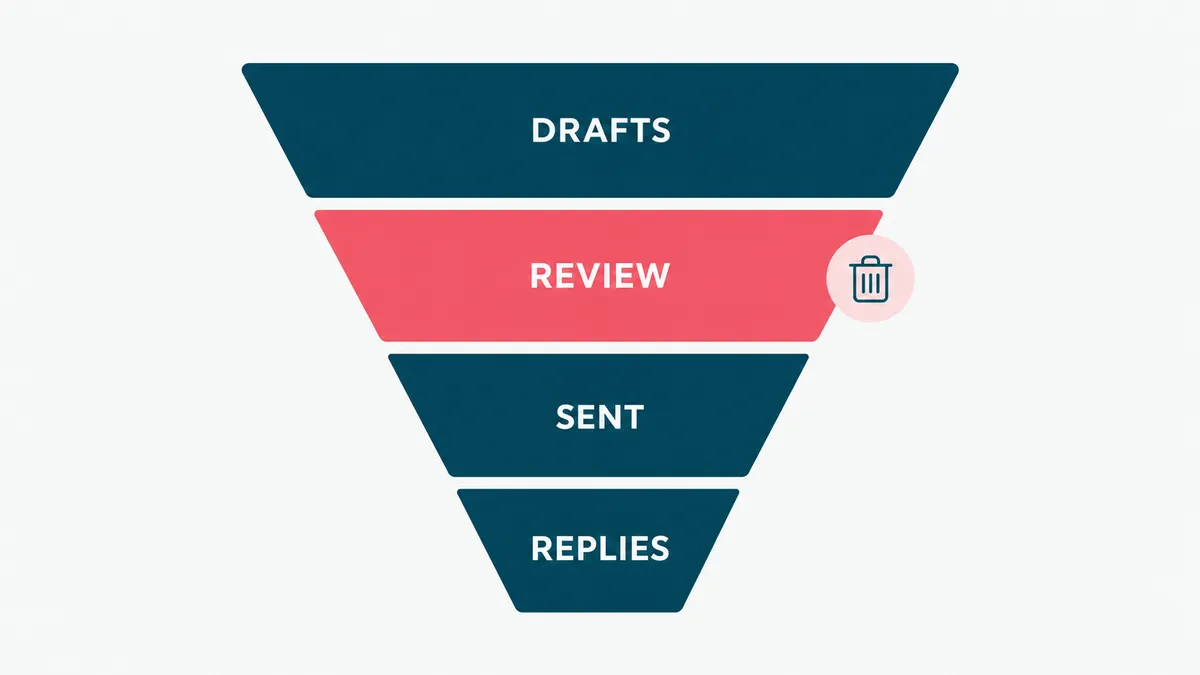
We are not describing a hypothetical. Our own outbound runs on this shape: a pipeline researches each account, drafts the message, and posts the top candidates to Slack, where a human approves or kills them before Instantly sends a thing. We built it because we wanted a review gate the off-the-shelf agents would not give us, and because we build custom AI agents for clients anyway, so the plumbing doubles as product research. Running it taught us more about deliverability than any vendor call. It also means we have sent at least one cold email we would like back, which is the tuition.
When does building beat buying? Three honest cases. When your channel mix is not the standard email-plus-LinkedIn bundle (a client selling into hospitality needed WhatsApp, and no packaged AI SDR does that well). When compliance or client contracts keep prospect data inside your walls. And when scale makes per-seat pricing silly: at hundreds of connected accounts, Zernio's 1-to-3 dollar tiers or Unipile's volume rates undercut every packaged tool in this guide by an order of magnitude. If none of those describe you, buy, do not build. The APIs will still be here when your requirements get weird.
Do AI SDR tools actually work
Ask Reddit and you will find threads full of burned domains and refunded quarters. Ask the vendors and everything books 40 meetings a month. Both are describing real outcomes. The difference between them is rarely the tool.
The mechanical layer genuinely works. Sends go out on time, follow-ups never get forgotten, replies get logged, and no human ever again pastes the wrong first name into a template at 6 pm on a Friday. If your outbound fails today on discipline, an AI SDR fixes that part immediately, and the demo will always look magical. The demo always works. Demos are the one genre where AI has achieved full reliability.
Message quality is the variable, and here is the strong opinion we will defend with a number: what you show the model matters more than how you phrase the request. The examples are the product. Going from a zero-shot prompt to roughly 15 good examples of your actual winning emails is the cheapest accuracy win in applied AI, and closing the gap from about 90 percent acceptable to 99 percent is what separates a demo from something you can put in front of a customer. Teams that feed their AI SDR real won deals, real objections, and real voice get output a rep would sign. Teams that type "write a personalized email to a CFO" get what everyone else gets, at scale, which is precisely the problem.
We hold AI features to one test, and we borrowed it from our own healthcare work. On a patient platform we built, the AI intake reads lab PDFs and turns the values into plain language a provider can use during the visit. The bar we set was simple: would a clinician actually reference this on a live call, or is it a demo feature. It shipped because it passed. Your outbound deserves the same bar: would your best rep send this exact email under their own name. If the answer is no, more volume makes it worse, not better. A hundred bad emails a day is not a pipeline, it is a reputation event with a dashboard.
So yes, the tools work, conditionally. The condition is that someone on your team treats configuration, examples, and review as the actual job, not as setup friction before the magic. Plan on two to four weeks of tuning before you judge results, whichever layer you buy.
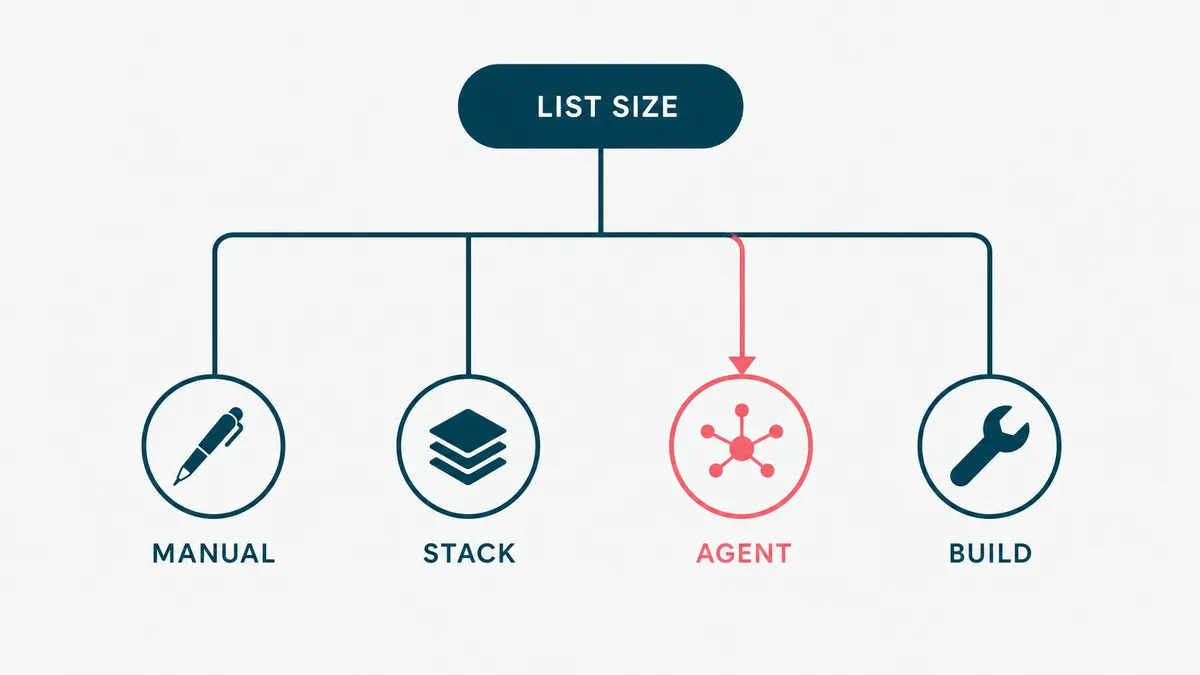
How to choose, and when not to buy any of it
Skip the feature matrix. It always crowns the tool with the most checkboxes, which is how people end up paying agent prices to send a newsletter. Decide in this order instead.
- Count your real addressable list. Not the market, the accounts you could plausibly contact this year. Under a few hundred, stop here: write the emails yourself, personally, and spend the tool budget on the list itself.
- Fix the plumbing before the brain. Secondary domains, SPF, DKIM, DMARC, warm-up, and a sender like Instantly or Smartlead. This is under 100 dollars a month and it is the floor everything else stands on.
- Match the layer to your team. An operator who loves systems: Clay plus a sender beats any packaged agent. A team with reps but no ops: a full AI SDR like Artisan or AiSDR earns its fee. Traffic-rich and outbound-poor: Piper's inbound category first.
- Pilot on your own list, one quarter, one metric. Positive replies per hundred contacts, not opens, not "engagement". Write the success number down before the demo, because after the demo everything looks like success. If the vendor resists a pilot, that is the data.
- Build only when you have the reason. Unusual channels, captive data, or real scale, on Unipile or Zernio, with a review gate from day one.
And when not to buy any of it: if nobody on the team owns replies within a business day, an AI SDR just books disappointment faster. If your offer has not closed manually yet, automation will not find the message for you, it will only spend your list learning what you could have learned on twenty calls. And if the deals are seven figures and the buyers number in the dozens, this whole category is the wrong aisle. Fifty researched, hand-written emails will outperform any agent on this page, and we say that as people who sell the automation.
If you want the honest version for your specific stack and list, send us what you sell and who buys it, and we will tell you which layer fits, or that your list is too small for any of this and the free advice is a spreadsheet. Email us. The robots will not be offended. They do not sleep, but they also do not hold grudges.