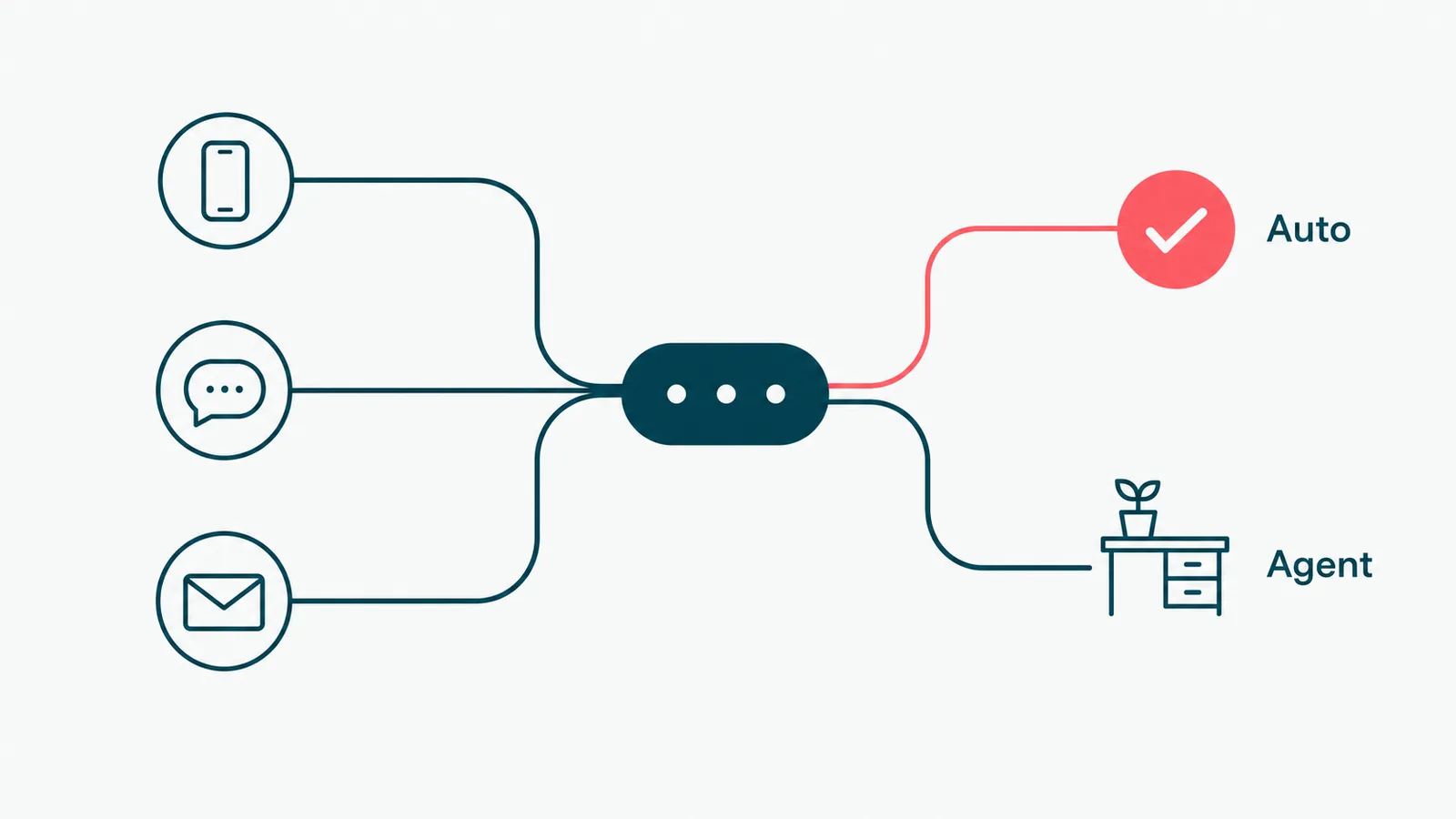
"Your call is important to us." It has been on hold for nineteen minutes, so you have your doubts. That gap, between what support promises and what it can actually staff, is the gap contact center automation is built to close.
The promise is not "replace your agents." It is "stop making your agents do the work a machine does better." A person should not be reading a knowledge-base article aloud, re-typing a ticket summary, or routing a call by reading a flowchart taped to the monitor. Software is good at that. People are good at the angry customer, the weird edge case, and the judgment call. Automate the first list so your team has time for the second.
This guide is the practical version: what contact center automation and call center automation actually are, how the pieces work, the use cases worth doing first, what the ROI really comes from, and how to roll it out without setting your CSAT on fire.
What is contact center automation?
Contact center automation is the use of software, increasingly AI, to handle customer interactions across channels (phone, chat, email, messaging) with little or no agent effort. It covers everything from routing a request to the right place, to answering it outright, to doing the after-call paperwork no human enjoys.
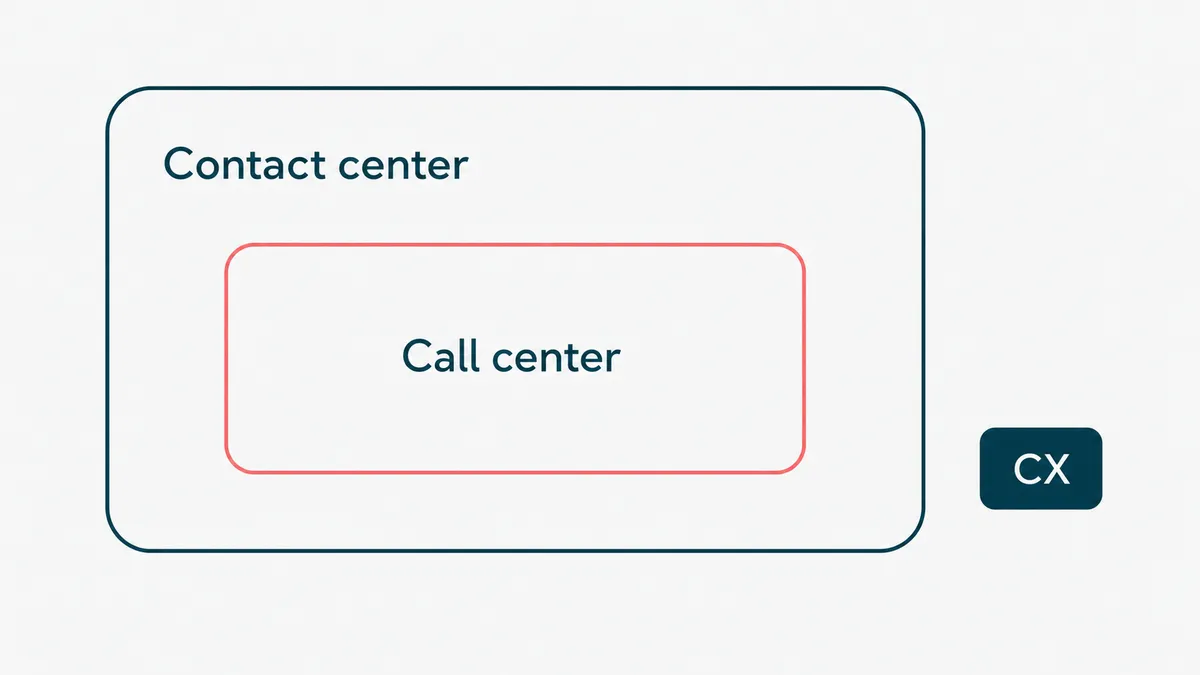
Call center automation is the same concept aimed specifically at voice. A call center handles phone calls. A contact center handles phone plus chat, email, social, and messaging. The automation techniques overlap so heavily that the two terms share a search result and, usually, a software stack. If a vendor sells one, they sell the other.
Worth drawing one more line. This is not the same as general customer experience (CX) software. CX is the broad discipline of how customers feel about you. Contact center automation is a specific lever inside it: the operational machinery that handles contacts. You can have great CX strategy and a contact center still drowning in manual work. Automation fixes the second problem, which tends to improve the first.
How contact center automation works
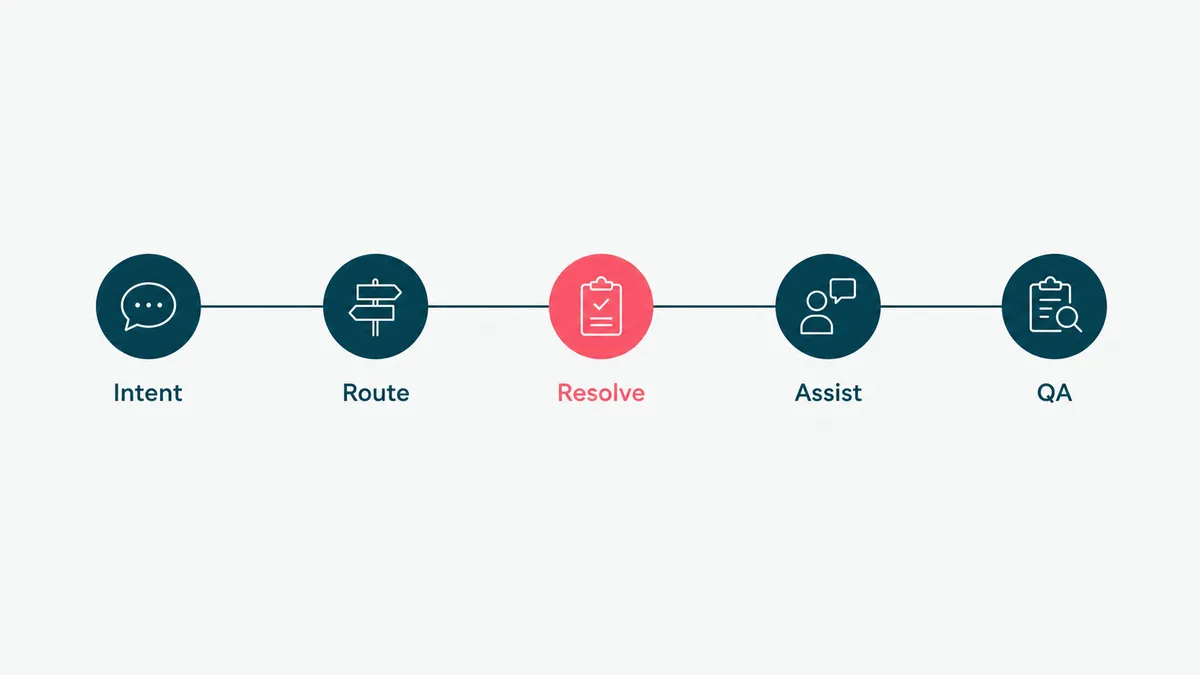
Under the marketing, a few real mechanisms are doing the work.
Intent detection comes first. When a customer calls or types, the system has to figure out what they want before it can do anything useful. Modern systems use natural language understanding instead of the old "press 1 for billing" tree, so a customer can just say "I was double charged" and land in the right place. The old IVR menu was a maze with a customer in it. Intent detection is a map.
Routing and triage takes that intent and sends the contact somewhere: an automated answer, a self-service flow, or a specific agent or queue. Good routing reads context, the customer's account, history, and value, not just the words. A loyal enterprise account with an outage should not wait behind a password reset.
AI voice agents and chatbots handle the contacts that do not need a human at all. A well-built voice agent can take a payment, check an order status, book an appointment, or answer a policy question, in natural speech, around the clock. The keyword is well-built. A bad bot is the hold music of the 2020s. The recent jump in quality comes from pairing a language model with speech, so the agent understands a customer who interrupts, changes their mind, or asks the question sideways, instead of falling back to "I did not get that." The model is the easy part. Connecting it to the systems that actually hold the order, the account, and the payment is the hard part, and the reason this looks simple in a demo and is not in production.
Agent assist runs alongside a human instead of replacing them. While the agent talks, the system transcribes the call, surfaces the relevant knowledge article, suggests a reply, and pre-fills the form. The agent stays in charge and moves faster. The quiet benefit is onboarding: a new hire with a good co-pilot performs closer to a veteran on day one, because the system carries the policy knowledge they have not memorized yet. Ramp time is one of the most expensive numbers in a contact center, and this is the use case that bends it.
Quality and after-call automation cleans up the back end. The system summarizes the call, updates the CRM, tags the interaction, and can score the conversation for quality without a supervisor listening to a random 2 percent by hand.
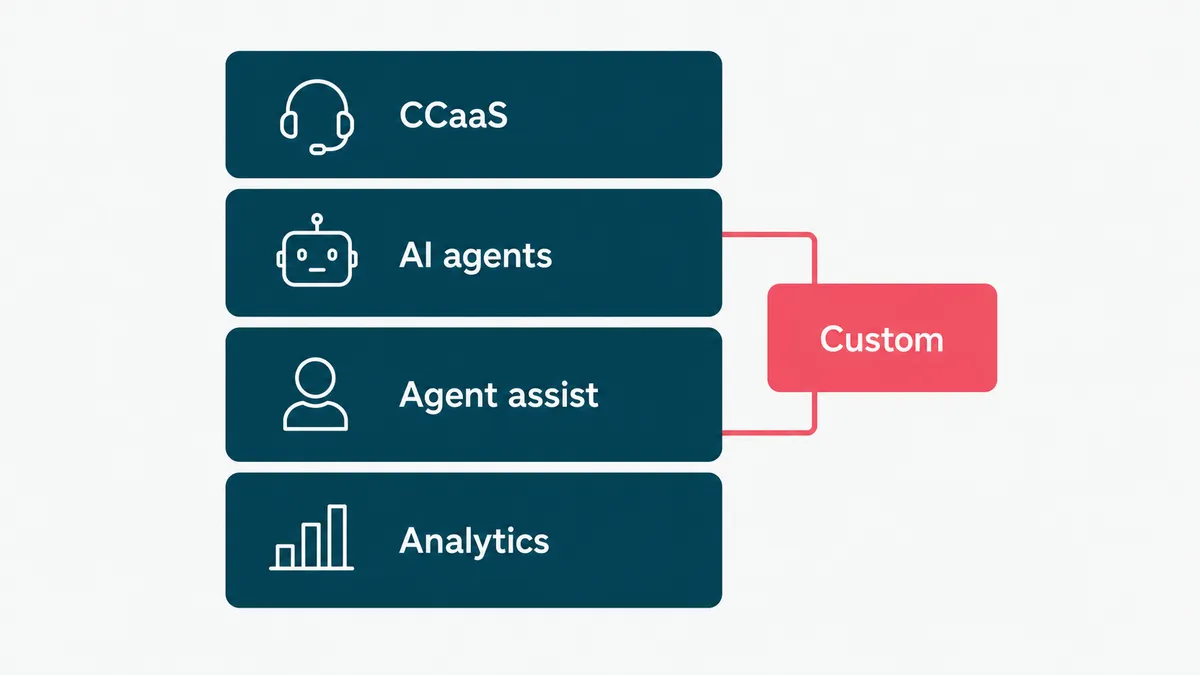
None of this is one product. It is a set of capabilities that plug into the contact center platform (the CCaaS) you already run. Which is exactly why integration, not the AI, is where most of the real work lives. More on that below.
Contact center automation use cases
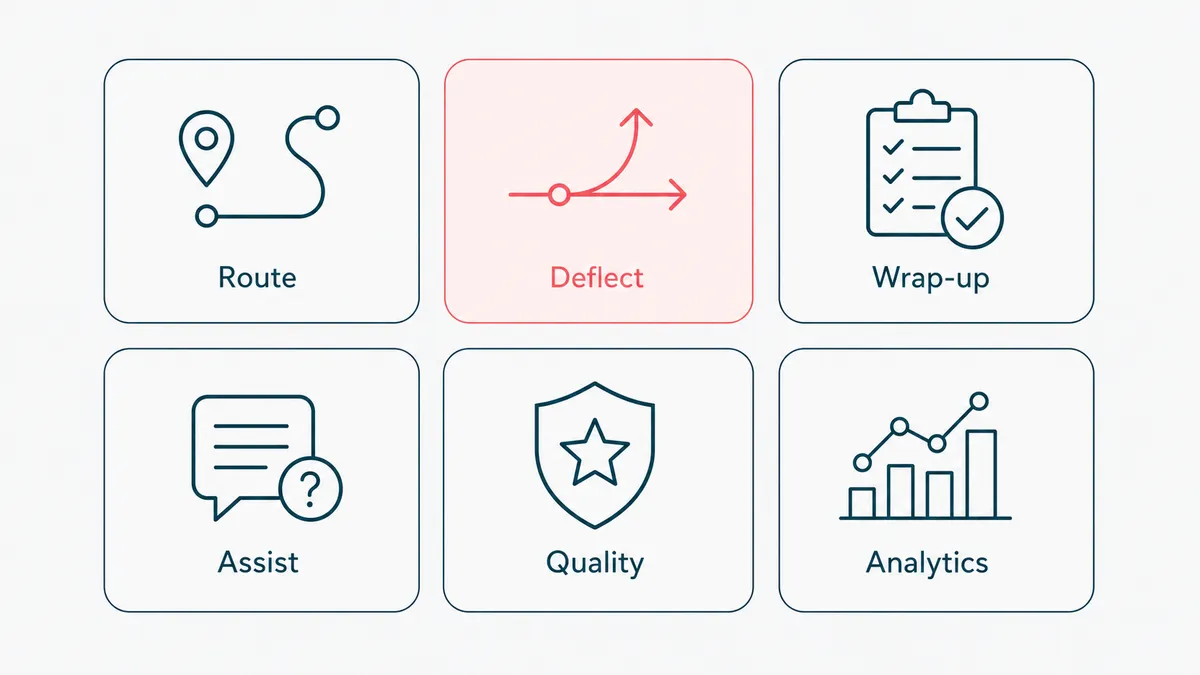
This is the part that pays the bills, so be concrete. Here are the use cases worth knowing, roughly in the order most teams should tackle them.
Call routing and triage
The highest-leverage place to start. Automatically understand why someone is contacting you and send them to the right resolution, an answer, a flow, or the right agent, on the first try. Get this wrong and everything downstream is more expensive, because a misrouted contact gets handled twice. Intent-based routing also kills the "transfer roulette" that customers hate more than waiting. The good versions route on context, not just words: a high-value account, a customer who has called twice this week, an order that is already late. The same question from a first-time browser and a churning enterprise account does not deserve the same queue.
Self-service and ticket deflection
Let customers resolve the common, low-judgment requests themselves: order status, password resets, appointment changes, balance checks, return labels. Every one of these handled by automation is one a human never touches. This is where the cost savings concentrate, because these requests are high-volume and genuinely identical. The trick is deflecting the right ones. Forcing a frustrated customer through a bot to avoid a refund conversation is not deflection, it is a complaint you scheduled for later. The honest test for a self-service flow is simple: would you use it yourself, or would you mash zero until it gave up and fetched a human. Build the ones that pass that test, and leave the rest to people.
After-call work
The unglamorous winner. After a call, agents normally spend 30 to 90 seconds (often more) writing a summary, updating the CRM, and tagging the interaction. Automate it: the system transcribes, summarizes, and files. Multiply the time saved by your call volume and this one quietly funds the rest of the project. At a few hundred calls a day, that is hours of agent time reclaimed every shift, the kind of dull, compounding win that never makes a demo but always makes the budget. It also makes the data cleaner, because a machine never "forgets" to log the call when it gets busy.
Agent assist and co-pilot
Give live agents a co-pilot: real-time transcription, the right knowledge article surfaced automatically, suggested responses, and sentiment cues. New agents ramp faster because the system carries the institutional knowledge they have not learned yet. Experienced agents stop alt-tabbing through six tabs to find one policy. This is the use case that improves quality without removing the human, which makes it the easiest one to get buy-in for.
Quality monitoring at scale
Traditional QA samples a tiny fraction of calls, a supervisor listens to maybe 2 percent, and hopes it is representative. Automated quality monitoring scores every interaction against your rubric: did the agent verify identity, follow the disclosure script, resolve the issue, stay compliant. You go from auditing a sample to auditing everything, which catches problems a 2 percent sample would miss for months. It also turns QA from a gotcha into coaching, because now you can show an agent the pattern across a hundred of their calls instead of the one unlucky call a supervisor happened to pull.
Outbound campaigns and reminders
Automated outbound for appointment reminders, payment-due notices, delivery updates, and proactive service alerts. Done well it cuts no-shows and inbound volume at the same time, because the reminder prevents the "where is my thing" call. Done carelessly it is a compliance problem. Automated calls and texts have to respect consent and calling-time limits, and automated email is bound by the FTC's CAN-SPAM rules. Build the guardrails in, do not bolt them on after a complaint.
Post-call analytics
Once every call is transcribed and tagged, you can mine the whole corpus: top contact reasons, where customers get stuck, which issues drive repeat contacts, where churn signals show up. This is the use case that turns the contact center from a cost center into a source of product and operations insight. The calls were always telling you what is broken. Now you can actually read them.
Contact center automation software and tools
There is no single contact center automation tool. There are categories, and most teams end up combining a few. Knowing which is which keeps you from buying the same capability twice.
CCaaS platforms, the contact-center-as-a-service systems you route calls through, increasingly ship automation built in: IVR, basic bots, routing, and reporting. If you already run one, start here, because the cheapest automation is the kind you already pay for and have not switched on. Call center automation software lives mostly in this layer.
AI voice and chat platforms handle the conversational layer: the virtual agents that understand natural language, answer questions, and complete transactions across phone and chat. This is where the recent jump in quality lives, and where a bad pick still produces the bot everyone hangs up on. Most of the contact center automation tools getting attention right now sit in this category.
Agent-assist and co-pilot tools sit beside live agents with real-time transcription, knowledge surfacing, and suggested replies. They are the easiest category to adopt, because they help humans rather than replace them, so nobody fights the rollout.
Conversation analytics and automated QA tools mine and score every interaction, turning the call corpus into quality data and insight. Most teams buy this category last and wish they had bought it first.
Custom builds are where the off-the-shelf categories run out: when your contact reasons are specific, your systems do not integrate cleanly, or you want to own the logic instead of renting it. Most real deployments are a platform for the common cases plus custom work for the parts that make you you. The skill is not picking one category. It is integrating them so they share one view of the customer instead of four conflicting ones.
Benefits and ROI of contact center automation
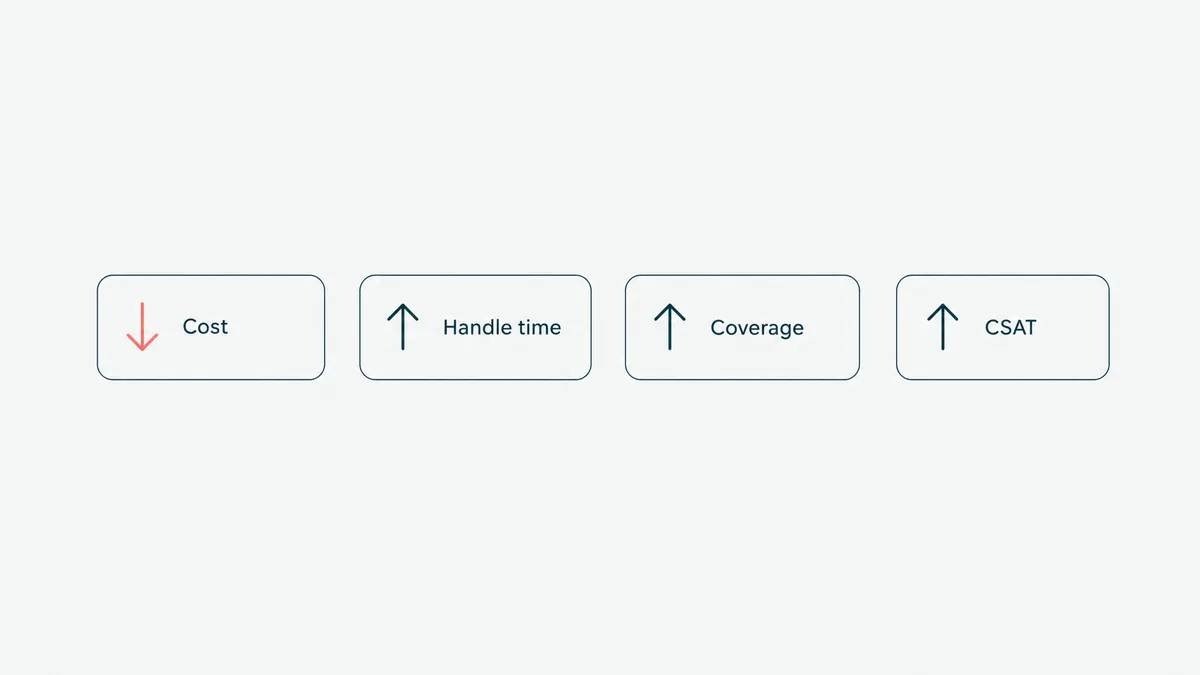
Where does the money actually come from? Four levers, in rough order of reliability.
Lower cost per contact. Every contact resolved by self-service or shortened by agent assist costs a fraction of a fully manual one. At high volume, even a modest deflection rate is real money, because contact centers are staffing-heavy and staffing is the cost.
Reduced handle time and after-call work. Agent assist trims the live conversation, and automated wrap-up removes the 30-to-90-second tax on every single call. This one is easy to measure: time the wrap-up before and after.
Coverage without linear headcount. Automation answers at 2am, during the post-launch spike, and on the day half the team is out sick, without you hiring for the peak and paying for it during the trough. You staff humans for the hard contacts and let software absorb the volume swings.
Better quality and CSAT, when done right. Faster answers, no transfer roulette, and consistent service lift satisfaction. The "when done right" is load-bearing. Automation that traps people lowers CSAT, and the number will tell on you fast.
A caution on the ROI math: be honest about the inputs. The savings are real, but they assume the automation actually resolves contacts rather than deflecting them into a worse channel. Measure resolution rate and CSAT alongside cost, or you will optimize for "contained by the bot" while quietly training your customers to hate you.
The numbers worth tracking are few and specific. Containment or deflection rate: the share of contacts fully handled without an agent. Average handle time and after-call work: the seconds automation trims from each contact. First-contact resolution: whether the issue actually got solved, or just bounced. Cost per contact: the blended figure the savings ultimately show up in. And CSAT alongside all of them, because a containment number that climbs while satisfaction falls is not a win, it is a problem you scheduled for next quarter. Pick a baseline before you start, or you will have no honest way to prove the project worked.
How to implement contact center automation
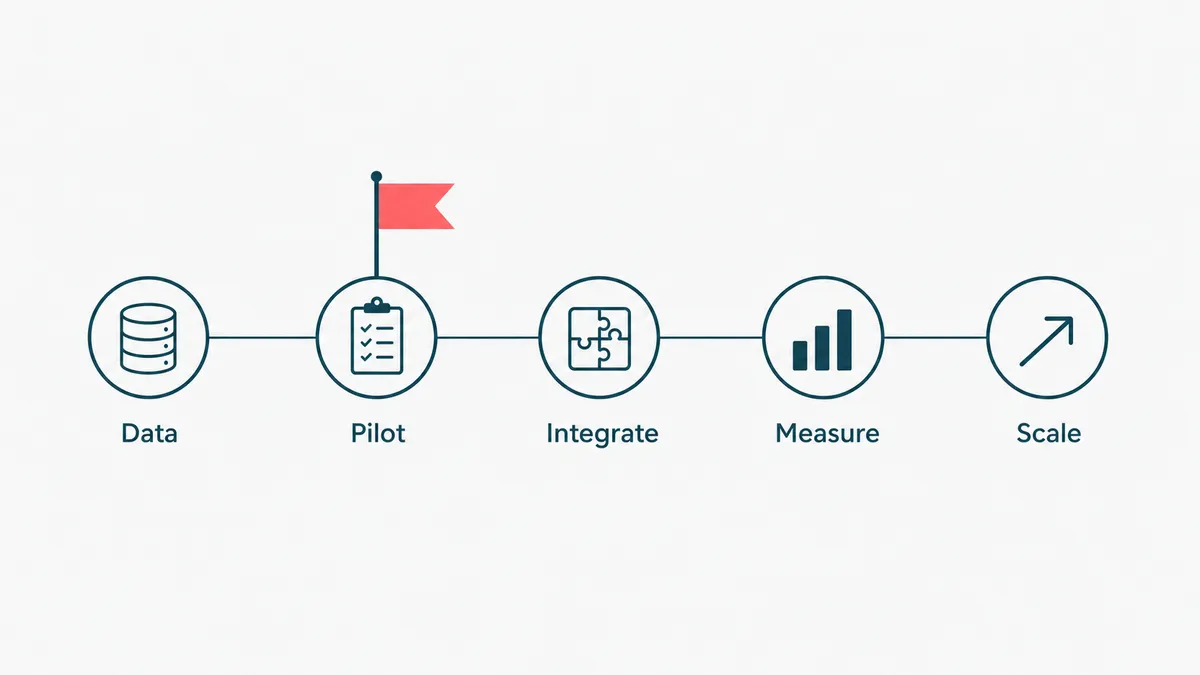
A rollout that works tends to share the same shape.
Start with the data, not the bot. Pull your last few months of contacts and find the top reasons by volume. Automation pays back fastest on the high-volume, low-judgment, repetitive contacts. The flashy use case is rarely the one with the best return. The boring "where is my order" is.
Automate one workflow end to end before you do ten. A single, fully working self-service flow that actually resolves the issue beats ten half-built ones that hand off to a confused human. Pick the highest-volume, lowest-risk contact reason and finish it.
Integration is the real project. The AI is a few weeks. Wiring it into your CCaaS, CRM, and helpdesk so it can actually read an order, update a ticket, and process a change is where the time goes. An automation that cannot see your systems can only pretend to help. We build on those systems' APIs for exactly this reason, the same way good business process automation does, so the automation fails loudly when something changes instead of quietly doing the wrong thing.
Keep a human in the loop and an easy escape hatch. The single fastest way to wreck CSAT is a bot with no exit. Every automated flow needs a clean "talk to a person" path, and the handoff has to carry the context so the customer does not repeat themselves. Nobody wants to explain their problem twice, once to the robot and once to the human who could not see what the robot heard.
Manage the change. Your agents are not the enemy of this project, they are the people who will make it work or quietly route around it. Frame automation as removing their worst work, the wrap-up, the password resets, the routing, and bring them into the design. The teams that treat agents as stakeholders get adoption. The teams that treat them as a cost to cut get sabotage.
Measure resolution and CSAT, not just deflection. "Contained by automation" is not the goal. "Resolved well, without a human" is. Track both, and watch repeat-contact rate, because a contact you deflected today that comes back tomorrow was not actually resolved.
Run it as a pilot before you run it everywhere. Pick one contact reason, one channel, and a slice of traffic, ship it, and measure against the baseline you captured first. A pilot does two things: it proves the integration and the resolution quality on real contacts, and it gives the skeptics on your team a result instead of a slide. When the numbers hold, you widen the traffic and add the next contact reason. When they do not, you have lost a corner of your volume, not your whole operation. Phased rollout is not caution for its own sake. It is how you find the edge case that only shows up at 2am on real customers, while it is still cheap to fix.
How HighCraft builds contact center automation
We build the unglamorous version that holds up in production, not the demo that wins a meeting and falls over in week two.
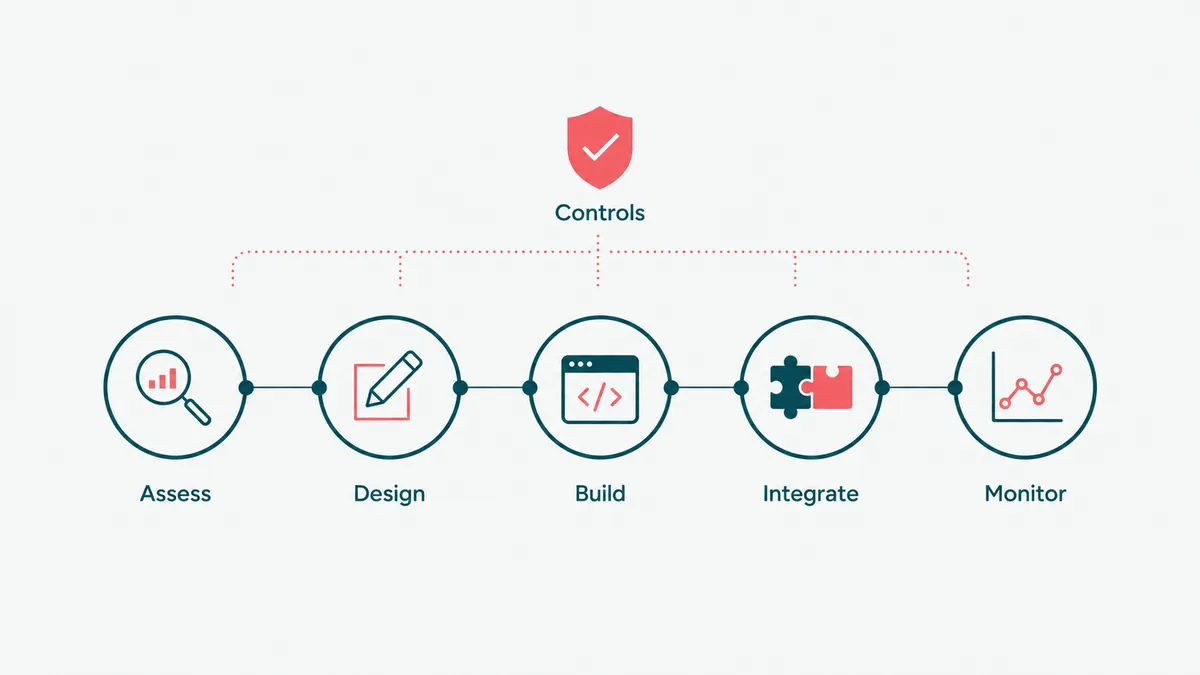
Our shape is consistent. We assess your contact data to find where automation actually pays back. We design the flows and decide, honestly, which steps are deterministic rules and which need a model. We build the AI agents and assist tooling. We integrate them with your CCaaS, CRM, and helpdesk over their APIs. And we put the monitoring around it, logging, evaluation, and an escalation path, so you can leave it running and actually trust it.
That last part is the whole job, and it is where our background shows. We have shipped AI inside systems where a wrong answer has consequences. On a healthcare platform, AI-assisted steps run behind evaluation, scoped permissions, and an audit trail for every action, the kind of controls a framework like the NIST AI Risk Management Framework calls for. A support agent that books appointments and takes payments needs the same discipline, the boring controls around the clever model, or it is a liability with a friendly voice.
One honest opinion, because it shapes how we build. The gap between an AI agent that demos well and one you can put in front of customers is almost entirely context. Going from a generic model to one grounded in a handful of good examples of your real contacts is the cheapest accuracy win there is, and it is what moves a bot from roughly 90 percent right, impressive in a demo, to the 99 percent you need before it talks to a paying customer unsupervised. The examples are the product. Most failed bot projects skipped that step and shipped the demo.
The HighCraft team is senior, Top Rated with a 100 percent Job Success Score on Upwork, led by a founder with eleven years in engineering. You work with the people who build the system, not a sales layer in front of them. If you want the AI agents underneath all of this built properly, that is our AI agent development work, and contact center automation is one of the places it earns its keep fastest.
Automate the repetitive contacts, and your team gets its day back for the conversations that actually needed a person. Which, when you think about it, is the whole reason you hired them. Your hold music, on the other hand, we make no promises about.