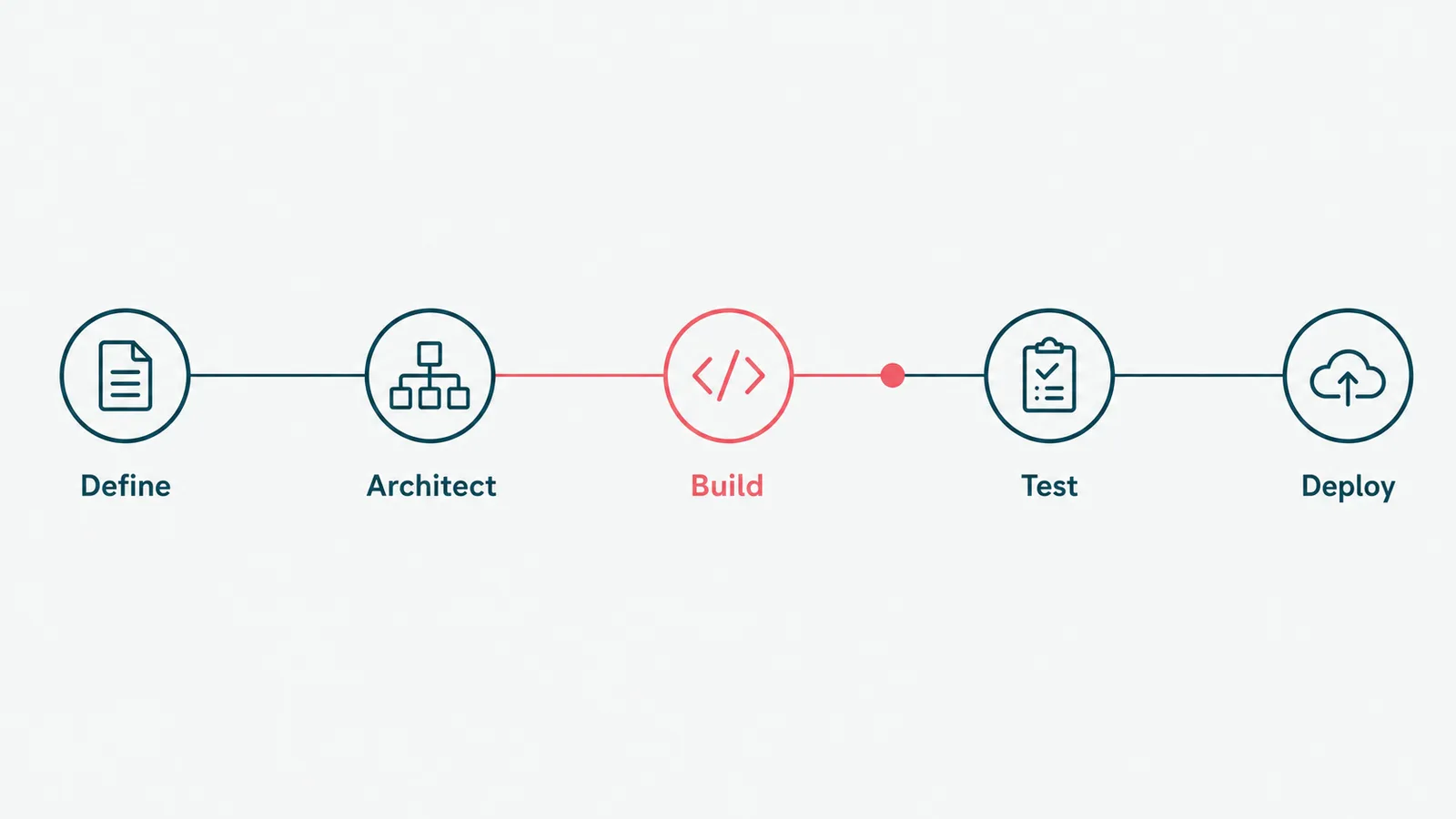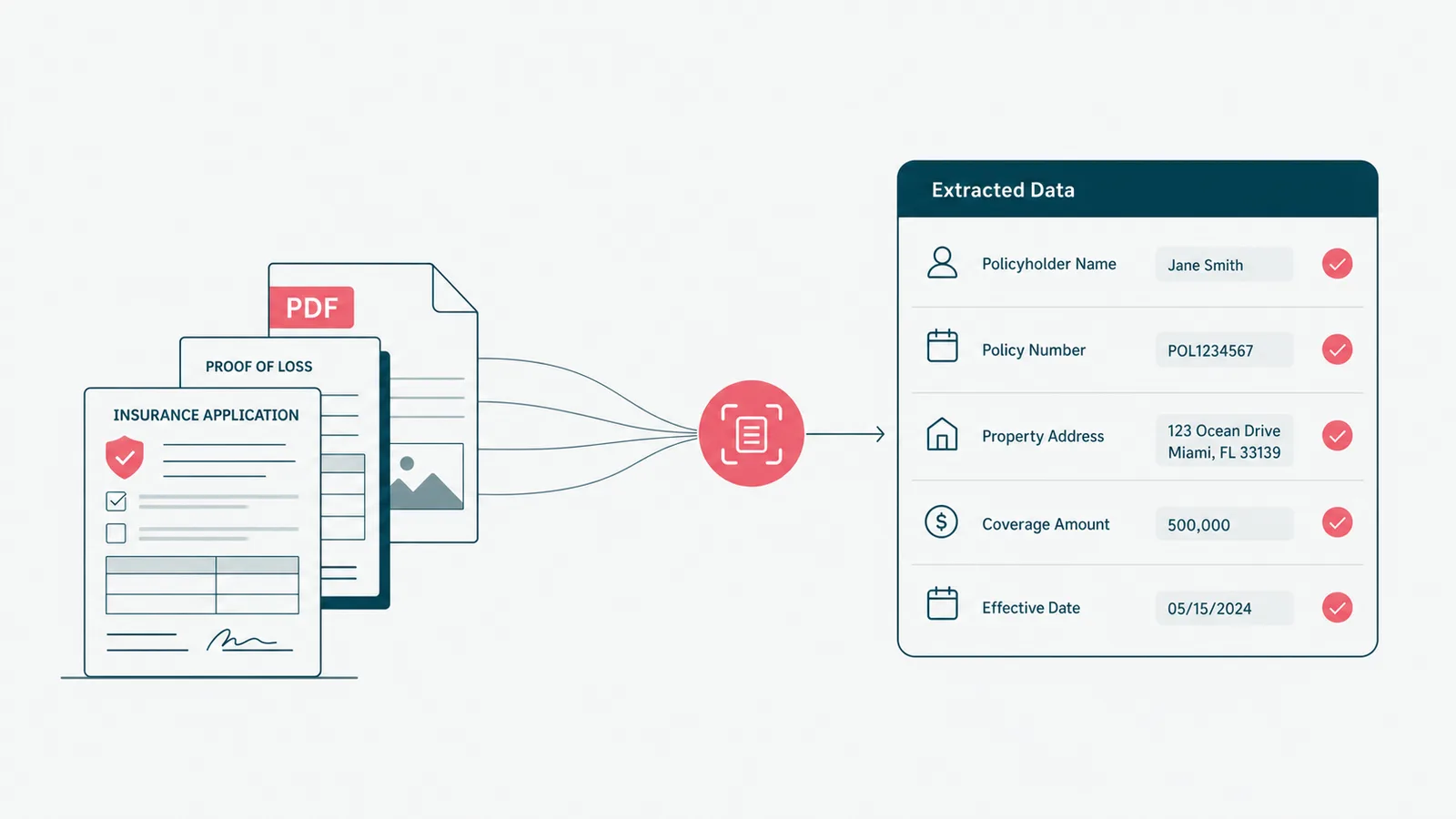
Insurance document automation starts when the PDF pile becomes a staffing plan. Nobody writes that in the budget, but the scanner knows. It has seen things.
Insurance document automation uses software to capture, classify, extract, route, generate, review, and store insurance documents. It turns policy forms, claims files, emails, loss runs, and customer uploads into structured workflow. The win is not "the PDF was read." The win is that the next step happened.
We build workflow software and applied AI features, so this is the practical version: where automation helps, where AI fits, which documents to start with, and when the correct answer is still a human with a checklist.
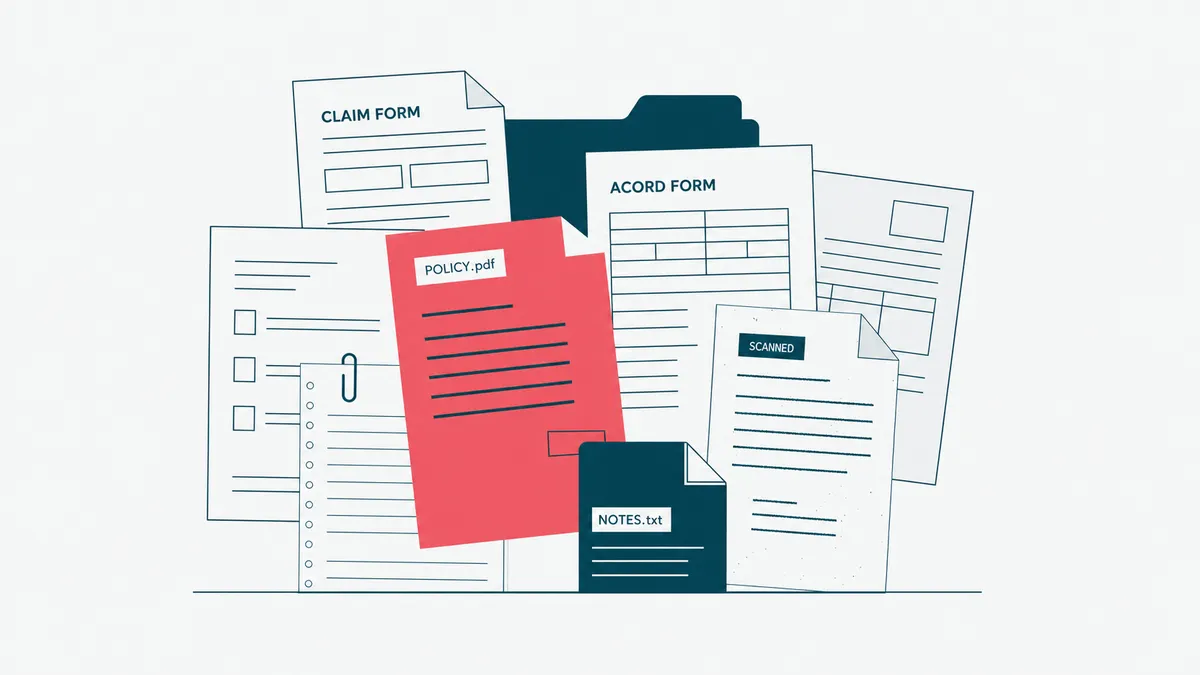
Insurance document automation is workflow before extraction
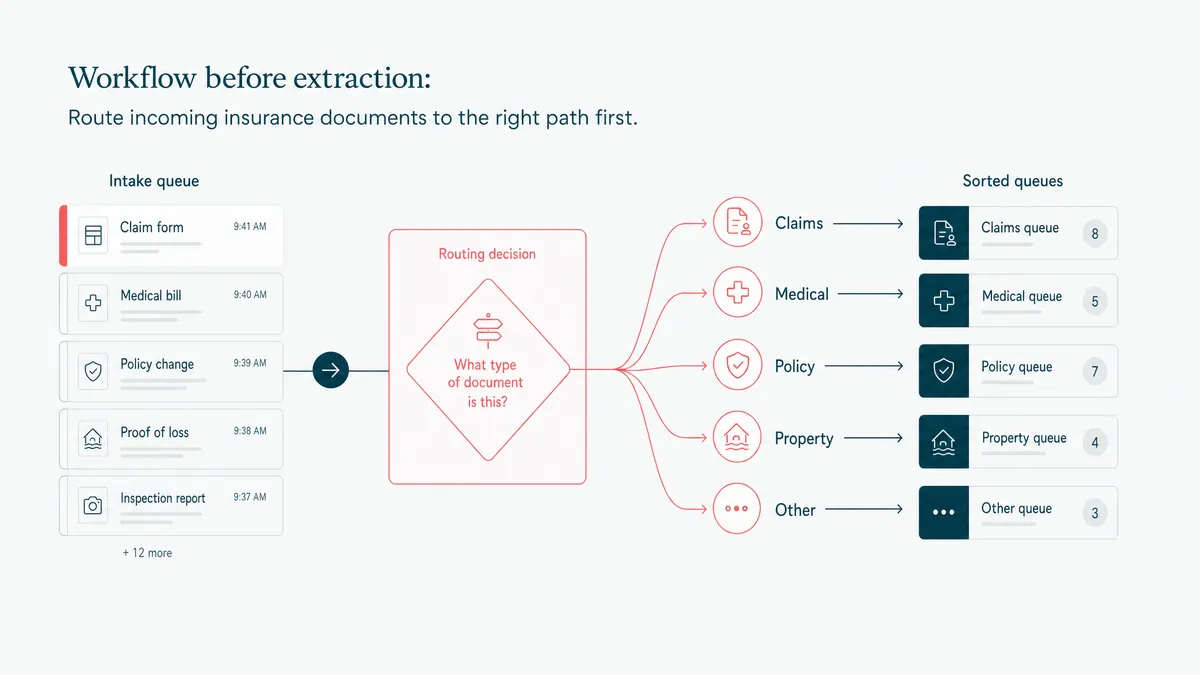
The first mistake is treating document automation as a reading problem. It is a routing problem with reading inside it.
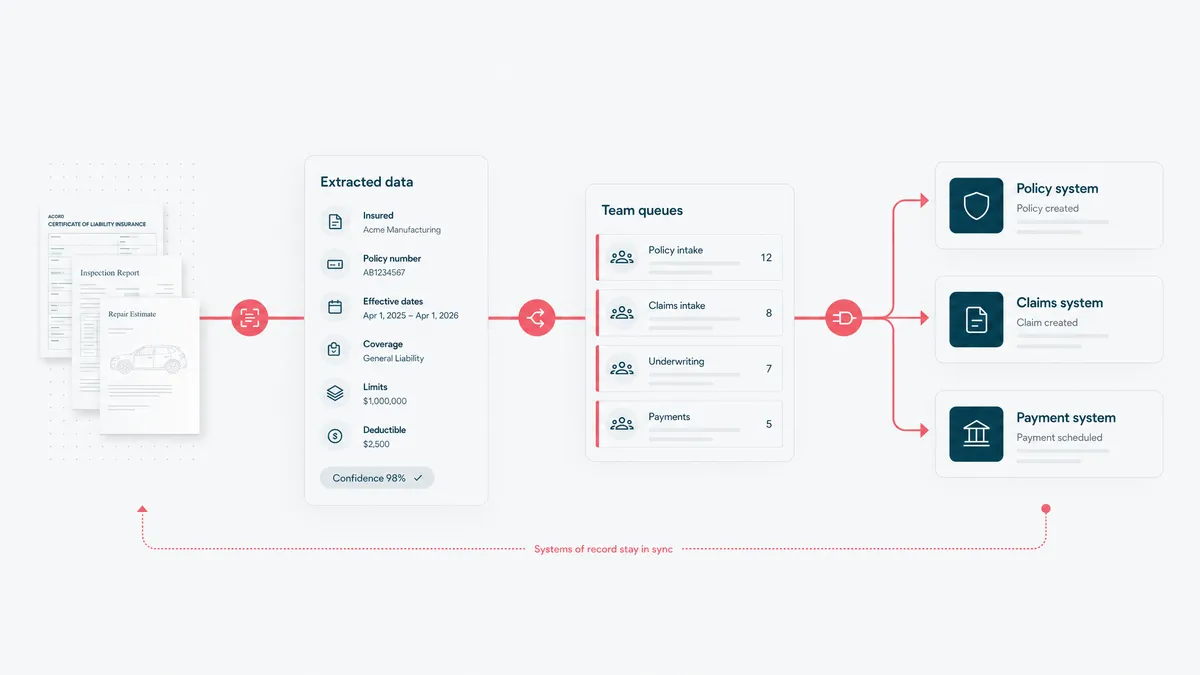
A document arrives. The system needs to know what it is, who or what it belongs to, which fields matter, what is missing, who should review it, which system should receive the result, and what should be logged for later.
OCR alone does not answer those questions. OCR turns a scan into text. Useful. Not enough.
Insurance documents carry business meaning. A loss run changes underwriting. A claim photo changes investigation. A renewal packet changes service work. A certificate request changes customer communication. If the automation stops after extraction, someone still has to move the work by hand. Congratulations, you bought a faster highlighter.
Insurance software development gets interesting when documents trigger the next action inside policy, claims, billing, or service workflows.
Start with the documents that repeat and hurt
Do not start with the weirdest document in the company. That one has lore. It probably also has a spreadsheet named after a retired employee.
Start with repeated, high-friction document types:
- Applications and intake forms that staff retype into a policy or CRM system.
- Endorsement requests with predictable fields and approval steps.
- Renewal packets that need comparison, summary, and missing-data checks.
- Certificates of insurance and routine service documents.
- Loss runs and prior-claim files used in underwriting.
- Claims documents, photos, invoices, estimates, medical bills, and customer uploads.
- ID, consent, and compliance documents that need verification and retention.
The best first workflow has enough volume to matter, enough structure to automate, and enough review to stay safe. That is the sweet spot. Fully random documents are research. One document per month is a hobby. The middle is where the return usually lives.
If the first target is claims-related, pair this with the claims management software workflow. A document is rarely valuable by itself. It is valuable because it moves the claim.
AI helps after OCR, but it needs guardrails
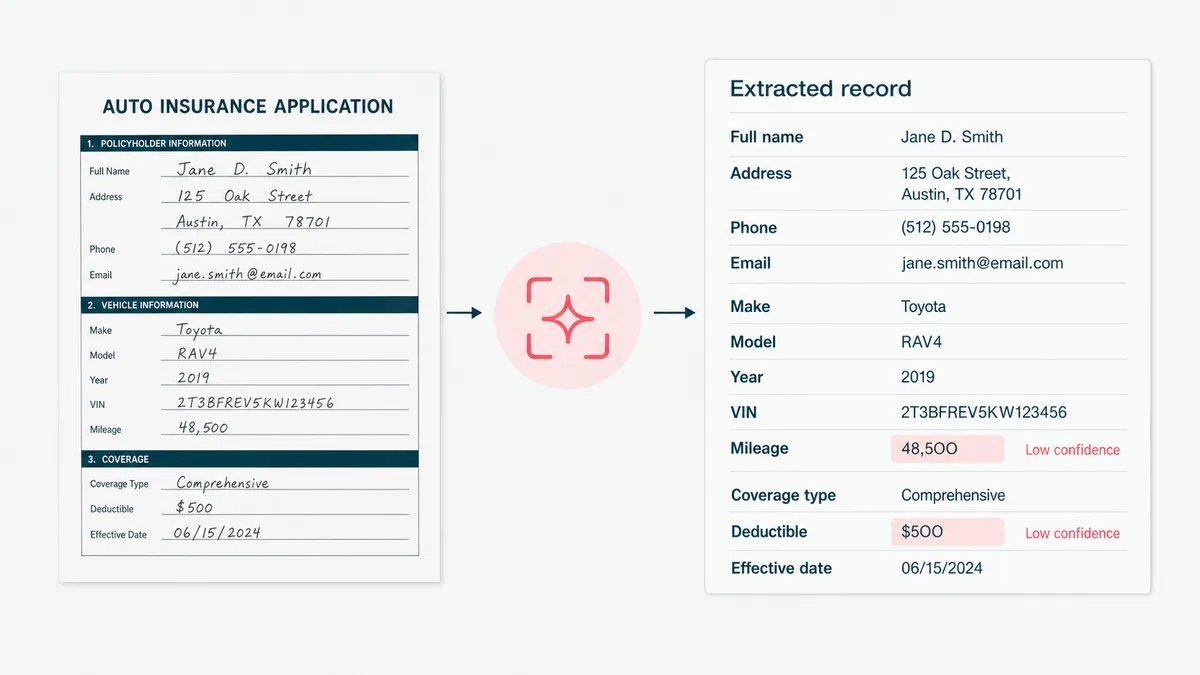
AI is useful when insurance documents vary enough that rigid templates break.
It can classify the document, pull out fields, summarize the contents, compare a new version to an old one, detect missing pages, suggest a task, and draft a note for review. For unstructured files, that is often better than trying to force every document into one perfect form. Perfect forms are lovely. So are dragons.
But AI needs structure around it:
- Define the fields that matter before testing a model.
- Collect examples of good and bad documents.
- Set confidence thresholds and route uncertain outputs to review.
- Store source snippets with extracted fields so a reviewer can check the evidence.
- Measure misses, not just successes.
The cheapest accuracy win in AI is often going from zero examples to a handful of good ones, around 15. But examples are not a substitute for workflow. The model can suggest. The system still needs to decide who reviews, who approves, and where the result goes.
This is the line between a useful generative AI development project and a demo that makes everyone nod until production asks a follow-up question.
The integrations are the real product
Insurance document automation usually touches more systems than the kickoff diagram admits.
Documents may arrive through email, portals, agent uploads, scanners, SFTP folders, CRM attachments, claim portals, or third-party services. The extracted output may need to update policy software and policy management workflows, claims software, billing, data warehouses, document storage, and customer communication tools.
That means identity matching matters. Which policy. Which customer. Which claim. Which term. Which document version. Which agent. Which line of business.
We have synced records across upstream systems that did not share an ID. It looks like plumbing, because it is plumbing. The fun thing about plumbing is that everyone notices when it fails.
For insurance data models, ACORD standards are useful grounding. For the implementation layer, this often becomes custom API development: pull from one system, validate, map, write to another, and leave a trail that a human can understand later.
Human review is not a failure of automation
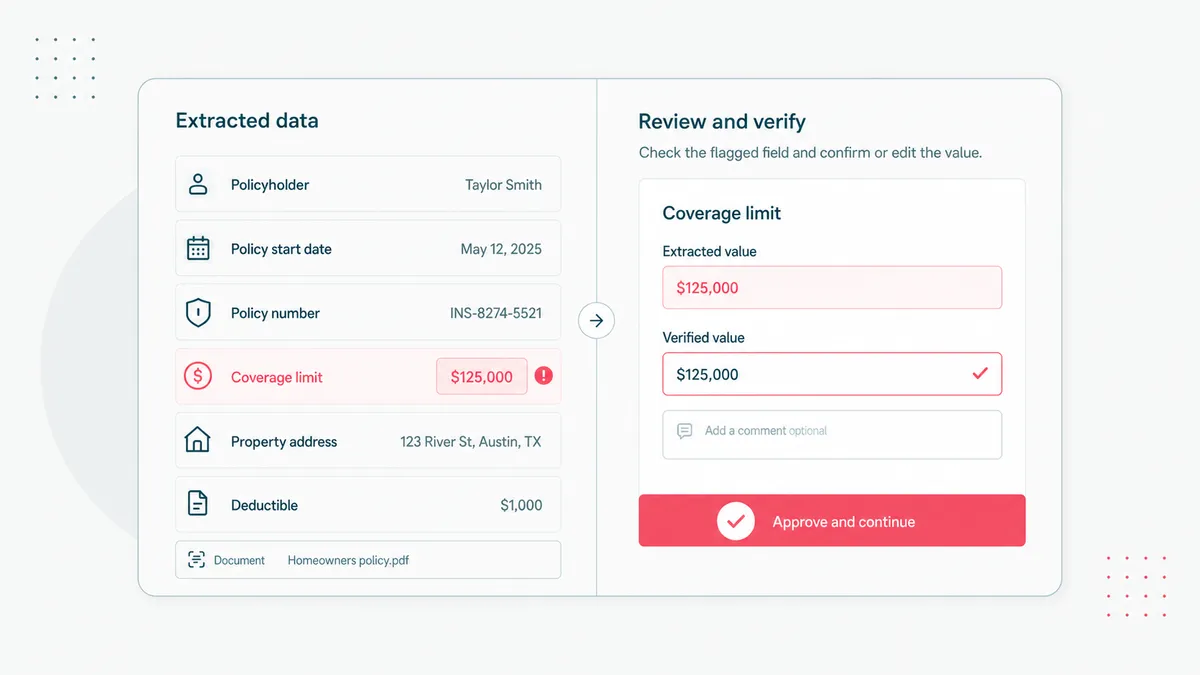
Human review is part of the design.
Some document fields can be auto-posted when confidence is high and the impact is low. Others should always go through review because a wrong value changes money, coverage, compliance, or customer experience.
The review screen matters. A reviewer should see the extracted value, the source highlight, the original document, the confidence, and the action the system plans to take. If review means "open the PDF and compare it manually anyway," the automation is doing interpretive dance in a lab coat.
We use the same rule in healthcare AI. We shipped AI-assisted intake that reads lab PDFs and turns values into plain language a provider can use during the call. The provider still owns the clinical judgment. For insurance, the adjuster, underwriter, or service lead still owns the business decision.
AI makes the expert faster. It does not make the expert imaginary.
Audit trails make the automation defensible
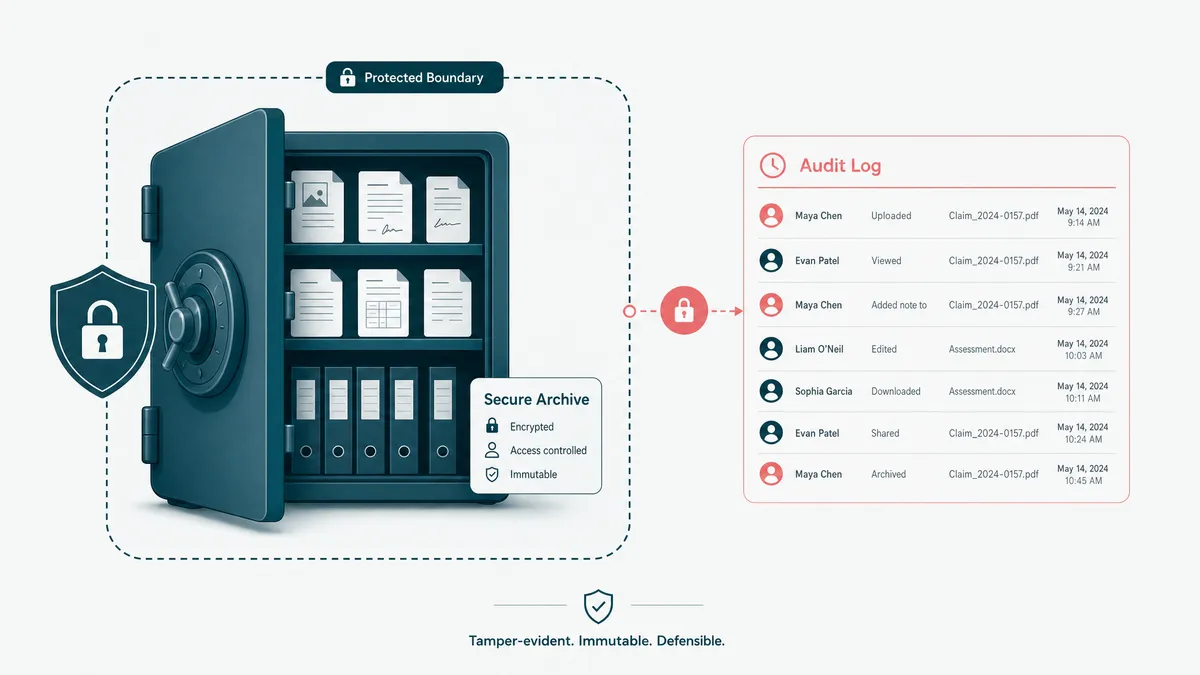
Insurance documents can carry identity data, financial data, health details, accident records, signatures, legal correspondence, and policyholder communication. That is not a casual attachment. That is evidence with storage requirements.
The automation should record:
- original file source and upload time;
- document type and related policy, claim, customer, or producer;
- extracted fields and source snippets;
- reviewer decisions and changes;
- downstream system updates;
- retention and deletion rules;
- permissions around who can see what.
The NAIC data privacy and insurance guidance is a good risk reference. The NIST AI Risk Management Framework is also useful when AI is making recommendations or classifications, because the question becomes not just "did it work," but "can we govern the failure modes."
The dull logs are not bureaucracy. They are how you answer the question everyone asks after a mistake: what happened.
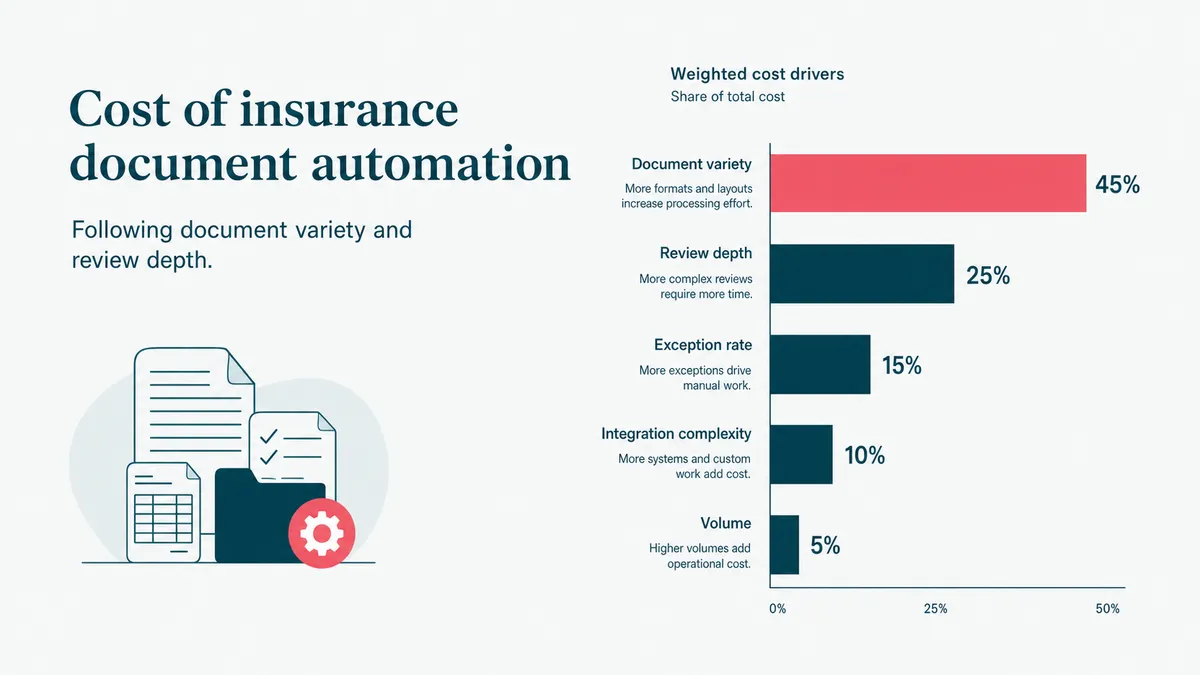
Cost follows document variety and review depth
Insurance document automation cost depends on what has to be understood, not how many times the word "AI" appears in the proposal. That word is not a pricing unit, though some vendors are trying hard.
The main cost drivers are:
- Count the document types. One form is much smaller than applications, renewals, loss runs, claims files, and correspondence together.
- Count the fields and validations. Extracting a date is easier than validating coverage, policy term, amount, and role.
- Map the review rules. Auto-post, always review, manager approval, exception queue, or legal hold.
- Name the integrations. Policy admin, claims, CRM, data warehouse, document store, email, and payment systems each add mapping and testing.
- Decide the accuracy target. A draft summary and a system-of-record update do not carry the same risk.
Start with one workflow. For example, document intake for one claim type, or renewal packet summarization for one product line. A focused release proves whether the document automation pays back before anyone funds a platform-wide effort.
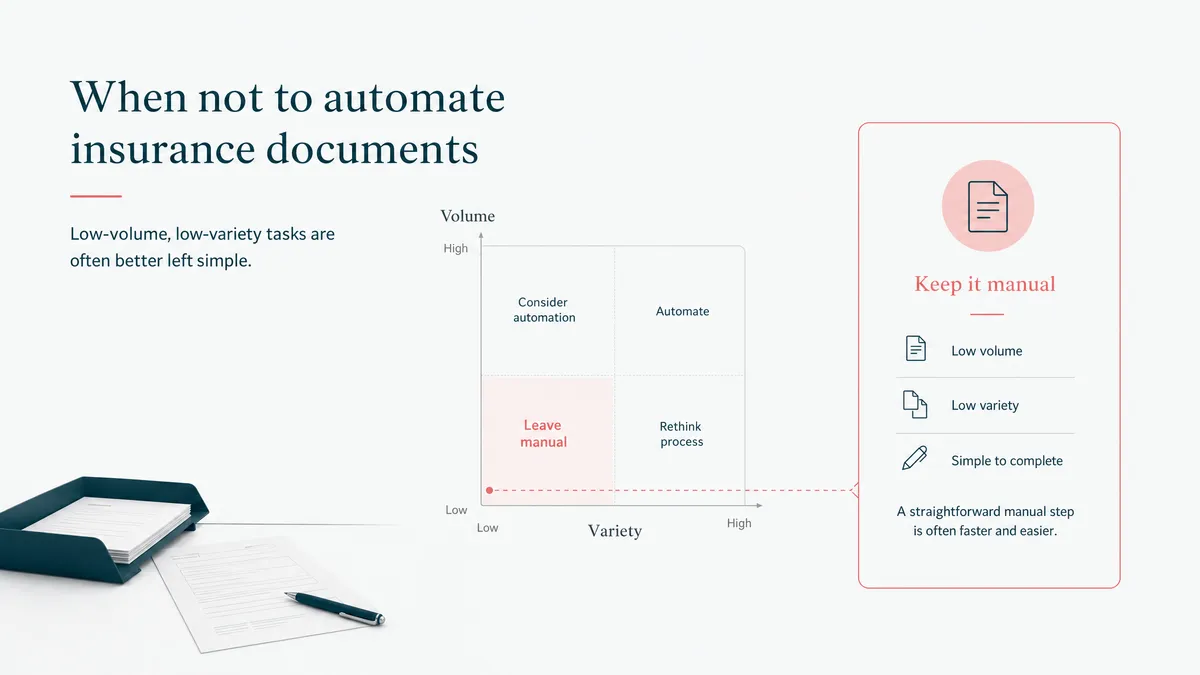
When not to automate insurance documents
Do not automate documents that are rare, chaotic, or not tied to a repeated decision. A messy file that appears twice a year is not a product roadmap. It is Tuesday being annoying.
Do not automate before you understand the current decision path. If nobody can explain what should happen after the document arrives, the model cannot rescue that. It will only make the confusion faster and more expensive.
Do not build custom when a packaged document automation product already fits your document types, integrations, and review rules. Buy it. Save the custom budget for the workflow the product cannot model.
Custom earns its cost when documents are high volume, the data is sensitive, the integrations are stubborn, and the review rules belong to your business. If the current workflow depends on someone reading 80-page PDFs before coffee, email us. We cannot fix coffee. We can fix the part where the PDF becomes a task.