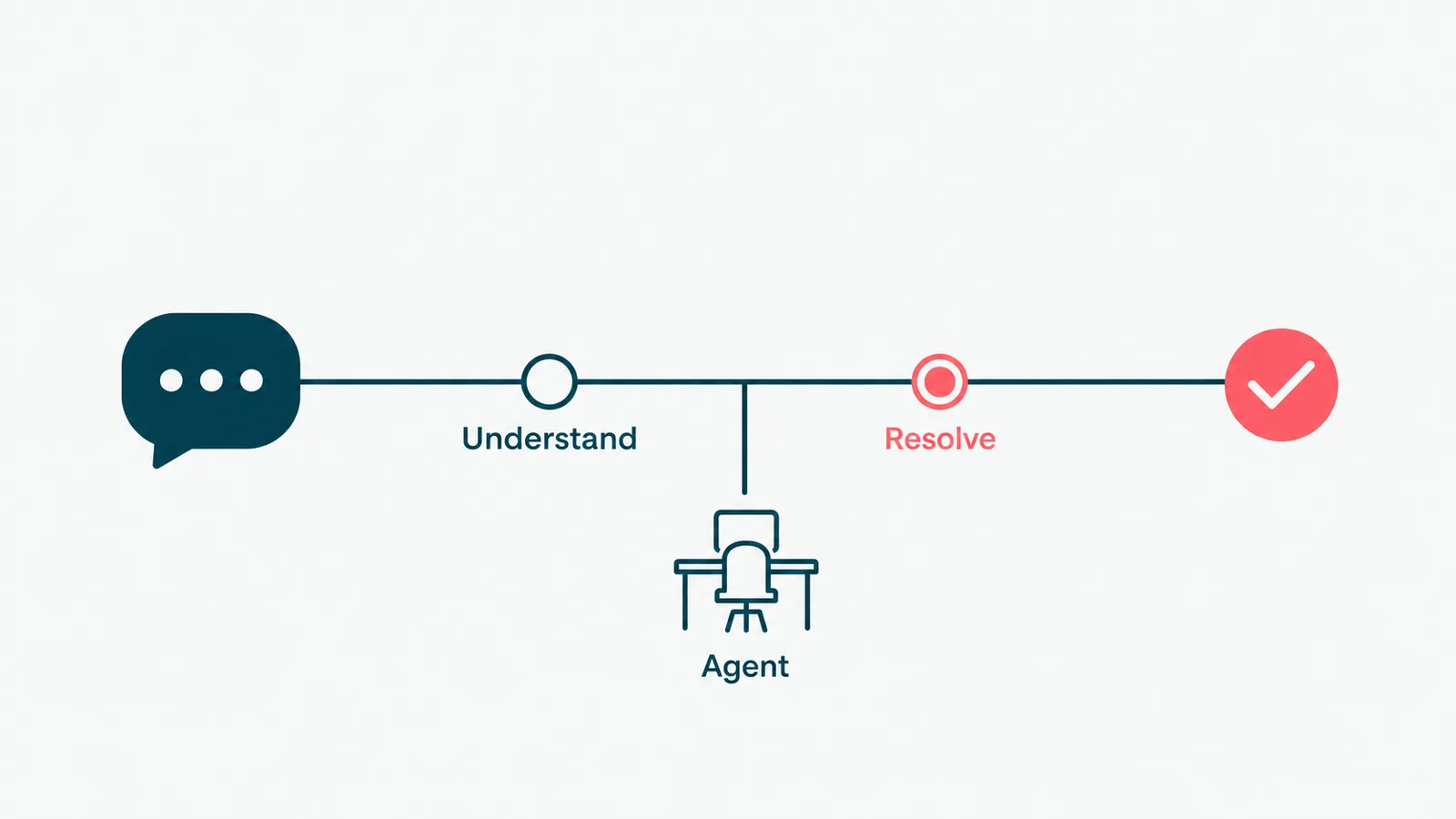
Every customer has met the bad chatbot. The one that answers "I want to cancel" with a link to the blog, loops you through four menus, and finally offers a phone number that rings during hours nobody keeps. So let us set the bar honestly: the goal is not a bot. The goal is a customer who got their answer and a support team that did not spend the afternoon resetting passwords.
Conversational AI for customer service is the tool that gets you there, when it is built well. The phrase "when it is built well" is doing a lot of work in that sentence, and most of this guide is about what it means. The technology is finally good enough to resolve real support questions in natural language. Whether it helps or just automates the frustration depends entirely on the parts nobody demos.
Here is the practical version: what conversational AI and customer support automation actually are, the use cases worth doing first, how to choose between an off-the-shelf tool and a custom build, where the ROI really comes from, and how we build it so it holds up in production.
What is conversational AI for customer service?
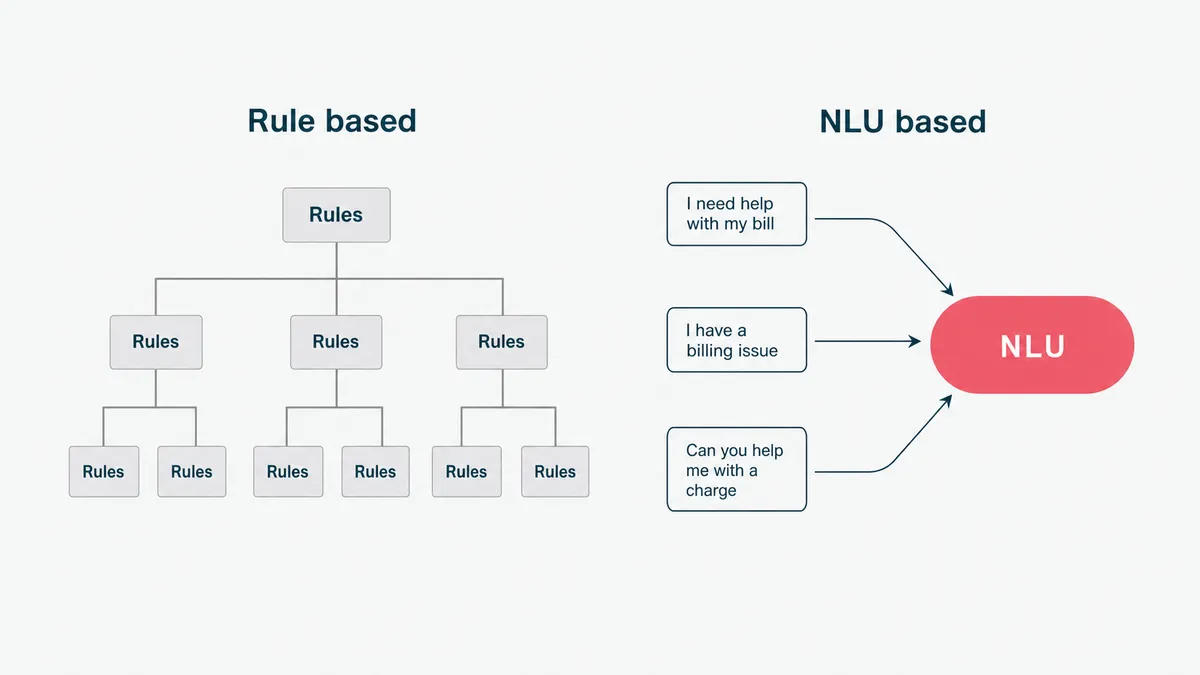
Conversational AI for customer service is software that uses natural language understanding to interpret a customer's request and respond usefully, across chat, email, and messaging, with little or no agent effort. Instead of a customer picking from a menu, they type or say what they want, and the system works out the intent and acts on it.
The difference from the old rule-based chatbot matters, because the old kind is why people distrust the new kind. A rule-based bot follows a decision tree: if the customer says one of the exact phrases it knows, it responds, and if they say it sideways, it falls over. Conversational AI uses a language model, so it understands "I was charged twice and I want my money back" and "hey why is there two payments on my card" as the same request. The tree was a maze with a customer in it. The model is closer to someone who actually read the question.
Worth one clarification, because the terms blur. Conversational AI is the understanding-and-responding layer. Customer support automation is the broader system: the conversational AI plus the routing, the knowledge it draws on, the integrations that let it act, and the analytics behind it. You can buy a clever conversational layer and still have slow support, because the answer lives in a system the bot cannot reach. The conversation is the easy part. The reach is the job.
Customer support automation, explained
Automated customer service is any use of software to handle support interactions that used to need a person: answering a question, updating an order, resetting access, triaging a ticket, drafting a reply. Customer service automation ranges from a simple macro that fills a canned response to an AI agent that reads the ticket, finds the answer in your docs, takes the action, and writes back in your brand voice.
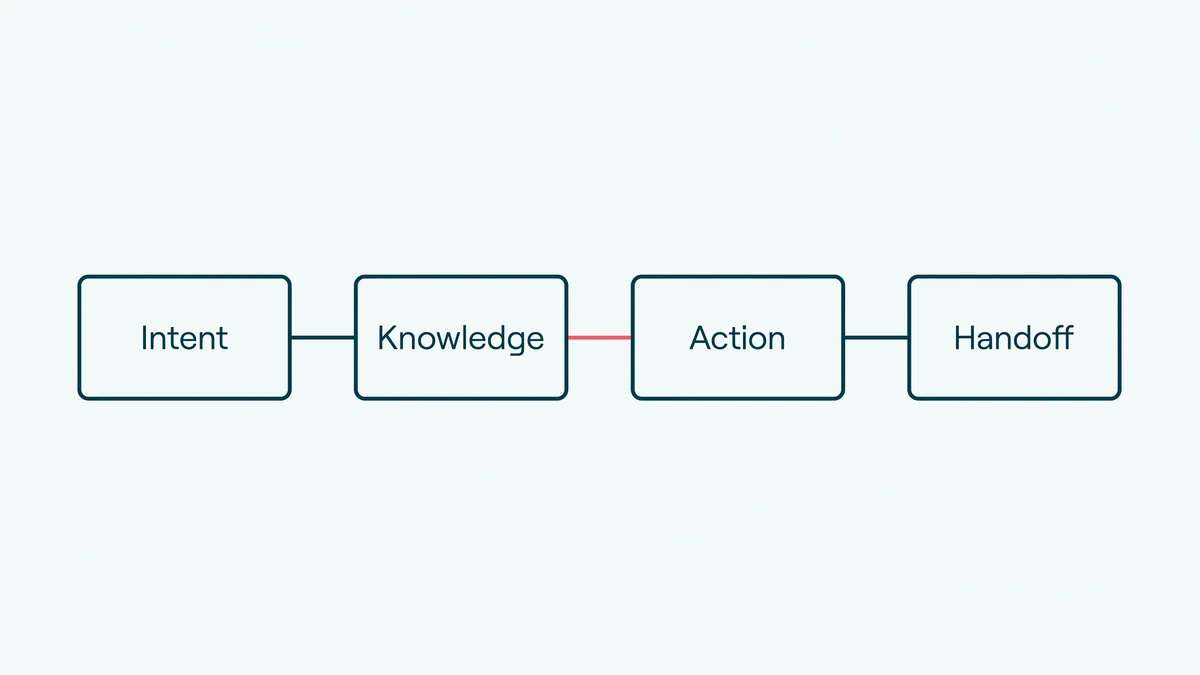
Most teams already run a little of it, an autoresponder here, a help-center search there, and call it automated customer support. The jump worth making is from those disconnected pieces to a system that actually resolves contacts end to end. The mechanism underneath has a few moving parts.
Intent detection reads what the customer wants. Knowledge retrieval finds the relevant answer in your help center, policies, and past tickets, instead of the model guessing. That grounding step is what keeps it from inventing a refund policy you do not have, and it is why retrieval-grounded answers matter more than a bigger model. Action and integration let it actually do the thing: look up the order, change the address, issue the credit, escalate the case. And the handoff carries the customer, and the full context, to a human the moment the request needs one.
Miss any of those and you get a bot that talks confidently and resolves nothing, which is worse than no bot, because now the customer is annoyed before they reach a person.
Conversational AI use cases for support
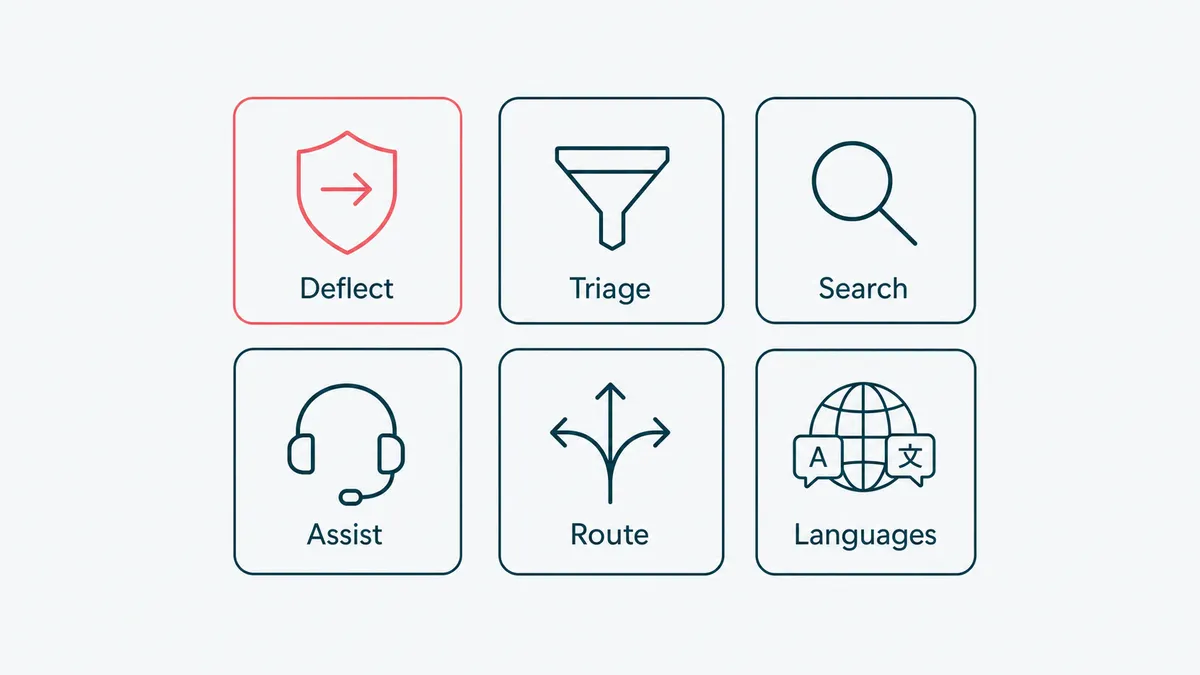
This is where the value is concrete, so be specific. Here are the use cases worth knowing, roughly in the order most support teams should tackle them.
Ticket deflection on the common questions
The bread and butter. Let customers self-resolve the high-volume, low-judgment requests: order status, password resets, returns, plan changes, "where is my invoice." Every one handled by automation is one your team never touches, and these are genuinely identical, which is exactly what automation handles well. The honest test for a deflection flow is whether you would use it yourself or mash the "talk to a human" button until it gave up. Build the ones that pass that test and route the rest to people.
AI chat and email triage
Not every contact can be auto-resolved, but every contact can be auto-sorted. Conversational AI reads an incoming chat or email, works out what it is about and how urgent it is, tags it, and routes it to the right queue or person with a draft reply already attached. The agent edits and sends instead of starting cold. Email is the quiet winner here, because it is high-volume, unglamorous, and nobody markets it, which is usually where the real savings hide.
Knowledge-base answers
Point the conversational AI at your help center, policy docs, and resolved tickets, and let it answer from that grounded source. Done right, the customer gets the correct answer in their words instead of a search result they have to interpret. Done wrong, the model answers from its imagination. The difference is whether the system retrieves your actual content before it responds, which is the whole reason grounding is not optional.
Agent assist
Instead of replacing the agent, sit beside them. While the agent works a ticket, the system surfaces the relevant article, drafts a reply, and pulls the customer's history into view. New agents ramp faster because the system carries the policy knowledge they have not learned yet, and experienced agents stop alt-tabbing through six tabs to find one answer. This is the easiest use case to get buy-in for, because it helps the team rather than threatening it.
Sentiment routing and escalation
Read the emotional temperature of a conversation and act on it. A frustrated customer, a churn signal, or a legal-sounding phrase should jump the queue and reach a senior human fast, not wait behind a billing question. Automation that can tell the difference between mildly annoyed and about-to-tweet is automation that protects the relationships worth protecting.
Multilingual support
A language model handles support in dozens of languages without you staffing each one around the clock. For a product with global customers, this is the use case that quietly turns "English business hours only" into real coverage, without thirty new hires in thirty time zones.
Build options: off-the-shelf or custom chatbot development
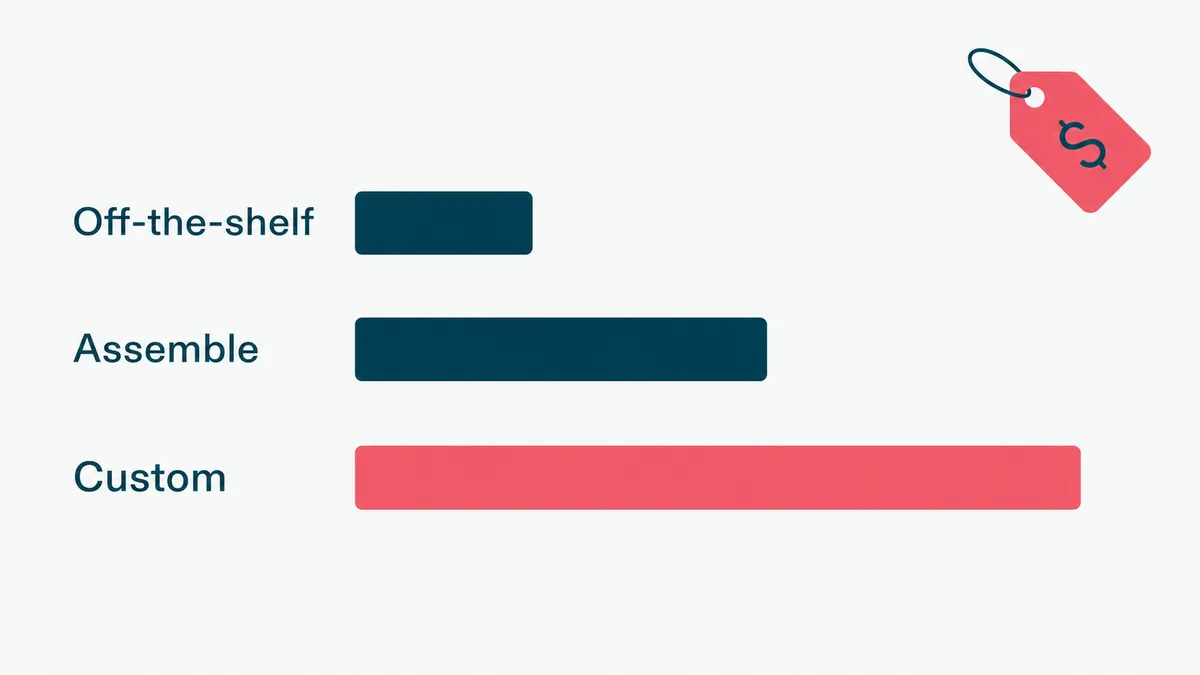
There is no single right answer, and anyone who tells you otherwise is selling one thing. Three honest paths.
Off-the-shelf support bots and helpdesk add-ons are the fastest start. If your questions are standard and your helpdesk already offers an AI add-on, switch it on before you build anything, because the cheapest automation is the kind you already pay for. The ceiling is that it knows only what the platform lets it know, and it stops where your systems get specific.
Tool-assembly is the middle path: a conversational platform plus your knowledge base plus a few integrations, wired together. More capable, more maintenance, and it works until one vendor changes an API and the chain breaks on a Tuesday.
Custom chatbot development is where the off-the-shelf options run out: when your support spans systems that do not integrate cleanly, your policies are specific, your data cannot go to a third party, or you want to own the logic instead of renting it. AI chatbot development done custom means the agent is wired into your actual stack, grounded in your actual content, and behaves the way you decide, not the way a platform's defaults decide. It is more work to stand up, and it is the only option that fits when "close enough" is not.
Most real deployments are a blend: a platform for the common cases and custom work for the parts that make you you. The skill is not picking one. It is knowing which parts deserve the build.
Benefits and ROI of customer support automation
Where does the money come from? Four levers, in rough order of how reliably they show up.
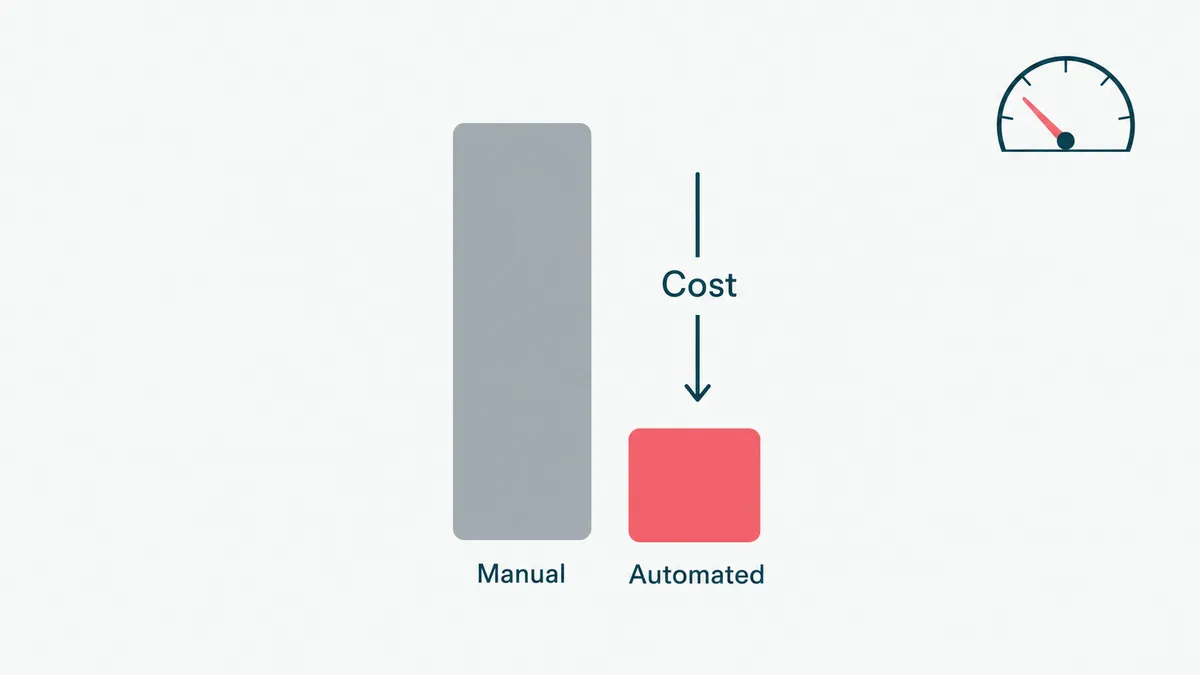
Lower cost per ticket. Every contact resolved by self-service, or shortened by agent assist, costs a fraction of a fully manual one. At volume, even a modest deflection rate is real money, because support is staffing-heavy and staffing is the cost.
Faster response and resolution. Conversational AI answers instantly, at 2am, during the launch spike, on the day half the team is out. Customers wait less, and the queue your agents see in the morning is shorter and better sorted.
Coverage without linear headcount. You absorb volume swings and new languages with software instead of hiring for the peak and paying for it through the trough. Humans handle the hard tickets, automation handles the surge.
Better CSAT, when done right. Instant correct answers and no transfer roulette lift satisfaction. The "when done right" is load-bearing, and it is where the honest ROI math lives. A bot that traps people lowers CSAT, and a containment number that climbs while satisfaction falls is not a win, it is a complaint you scheduled for next quarter.
So measure the right things. Track resolution rate, not just deflection, because a contact you deflected today that comes back tomorrow was never resolved. Track response and handle time, first-contact resolution, cost per ticket, and CSAT alongside all of them. Pick a baseline before you start, or you will have no honest way to prove the project worked. Deflection is the metric vendors love because it always looks good. Resolution is the metric that tells the truth.
How HighCraft builds customer support automation
We build the version that holds up after the demo, not the one that wins the meeting and falls over in week two.
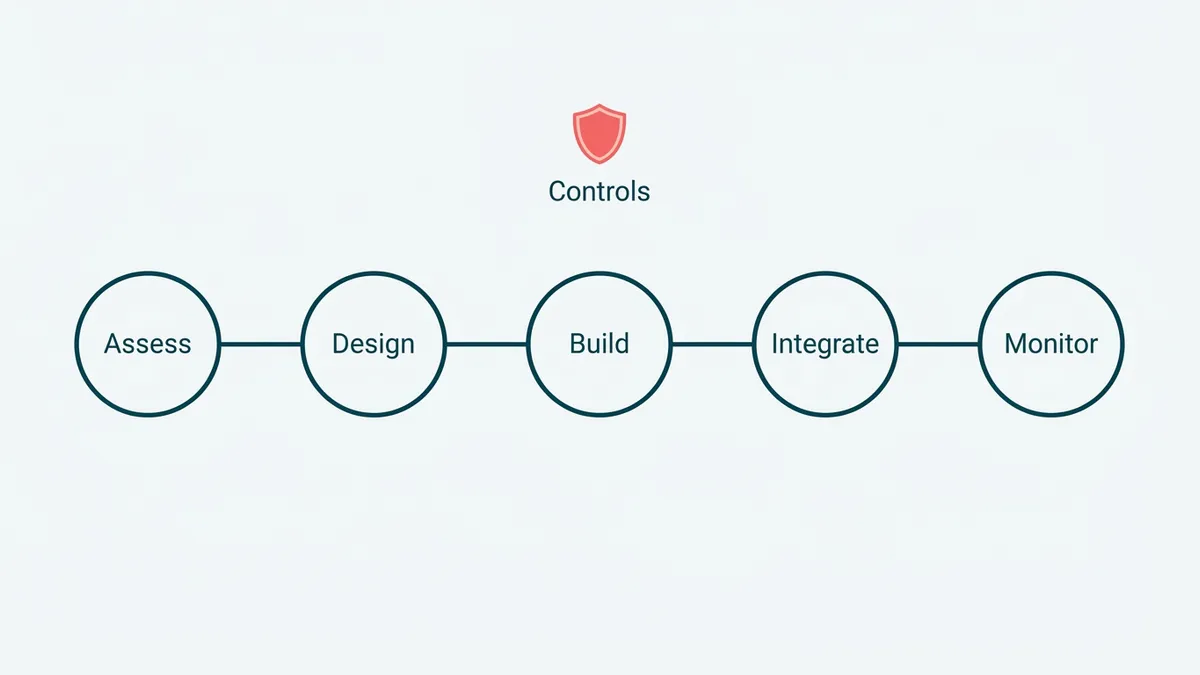
Our shape is consistent. We assess your support data to find where automation actually pays back, usually the highest-volume, lowest-judgment tickets. We design the conversation flows and decide, honestly, which steps are deterministic rules and which need a model. We build and ground the AI on your real content and tickets. We integrate it with your helpdesk, CRM, and the systems it needs to actually resolve a request, not just talk about it. And we put the monitoring around it, evaluation, logging, and a clean escalation path, so you can leave it running and trust it. If you want to start small, tell us the shape of your support problem and we will scope it.
That last part, the controls around the clever model, is the whole job, and it is where our background shows. We have shipped AI inside systems where a wrong answer has consequences. On a healthcare platform we built AI-assisted intake that reads a patient's lab PDFs and turns them into plain language a provider actually references on the call, held to one test: would a professional use this, or is it a demo feature. It passed, because it ran behind evaluation, scoped permissions, and an audit trail for every step, the kind of controls the NIST AI Risk Management Framework calls for. A support agent that issues refunds and reads customer data needs the same discipline, and the same respect for privacy rules like the GDPR when it touches personal data. The clever part is cheap now. The controls are the product.
One honest opinion, because it shapes how we build. The gap between a support bot that demos well and one you can trust with customers is almost entirely context. Going from a generic model to one grounded in a handful of good examples of your real tickets and docs is the cheapest accuracy win there is, and it is what moves a bot from roughly 90 percent right, fine in a demo, to the 99 percent you need before it answers a paying customer unsupervised. The examples are the product. Most failed bot projects skipped that step and shipped the demo.
The HighCraft team is senior, Top Rated with a 100 percent Job Success Score on Upwork, led by a founder with eleven years in engineering. You work with the people who build the system, not a sales layer in front of them. If your support is mostly phone, the companion to this is our contact center automation work, and the same agents underneath both are our AI agent development practice.
Automate the repetitive tickets, and your team gets its day back for the customers who actually need a human. The bad chatbot taught everyone to expect the worst. Building one that resolves the issue on the first try is, weirdly, still a competitive advantage. Low bar. Worth clearing.